| Vorheriges Thema anzeigen :: Nächstes Thema anzeigen |
| Autor |
Nachricht |
Attila 

Anmeldungsdatum: 24.02.2007
Beiträge: 58004
Expire: 2025-11-18
|
 Verfasst am: Sa Sep 19, 2015 3:10 am Titel: New upload pic size is 2000px |
|
Verfasst am: Sa Sep 19, 2015 3:10 am Titel: New upload pic size is 2000px |
|
|
Attila wrote:
Almost 10 yrs left , 1024px wide images are obsolete really, plus new responsive template fill frame well. From now only those pictures will be re-size what are larger than 2000px wide.
Linking is same , original image is always available on click. Server side re-size GD library did ruin picture quality , new bigger pictures will serve us better. |
|
| Nach oben |
|
 |
kds315*

Anmeldungsdatum: 12.03.2008
Beiträge: 16912
Wohnort: Kehl, Germany
Expire: 2021-03-09
|
Verfasst am: Sa Sep 19, 2015 6:16 am Titel: |
|
Verfasst am: Sa Sep 19, 2015 6:16 am Titel: |
|
|
kds315* wrote:

Good news indeed!!
_________________
Klaus - Admin
"S'il vient a point, me souviendra" [Thomas Bohier (1460-1523)]
http://www.macrolenses.de for macro and special lens info
http://www.pbase.com/kds315/uv_photos for UV Images and lens/filter info
https://www.flickr.com/photos/kds315/albums my albums using various lenses
http://photographyoftheinvisibleworld.blogspot.com/ my UV BLOG
http://www.travelmeetsfood.com/blog Food + Travel BLOG
https://galeriafotografia.com Architecture + Drone photography
Currently most FAV lens(es):
X80QF f3.2/80mm
Hypergon f11/26mm
ELCAN UV f5.6/52mm
Zeiss UV-Planar f4/60mm
Zeiss UV-Planar f2/62mm
Lomo Уфар-12 f2.5/41mm
Lomo Зуфар-2 f4.0/350mm
Lomo ZIKAR-1A f1.2/100mm
Nikon UV Nikkor f4.5/105mm
Zeiss UV-Sonnar f4.3/105mm
CERCO UV-VIS-NIR f1.8/45mm
CERCO UV-VIS-NIR f4.1/94mm
CERCO UV-VIS-NIR f2.8/100mm
Steinheil Quarzobjektiv f1.8/50mm
Pentax Quartz Takumar f3.5/85mm
Carl Zeiss Jena UV-Objektiv f4/60mm
NYE OPTICAL Lyman-Alpha II f1.1/90mm
NYE OPTICAL Lyman-Alpha I f2.8/200mm
COASTAL OPTICS f4/60mm UV-VIS-IR Apo
COASTAL OPTICS f4.5/105mm UV-Micro-Apo
Pentax Ultra-Achromatic Takumar f4.5/85mm
Pentax Ultra-Achromatic Takumar f5.6/300mm
Rodenstock UV-Rodagon f5.6/60mm + 105mm + 150mm
|
|
| Nach oben |
|
|
miran

Anmeldungsdatum: 01.08.2012
Beiträge: 1364
Wohnort: Slovenia
|
|
| Nach oben |
|
|
Tedat

Anmeldungsdatum: 08.11.2011
Beiträge: 800
Wohnort: Berlin/Germany
|
Verfasst am: Mi Sep 23, 2015 7:47 am Titel: |
|
Verfasst am: Mi Sep 23, 2015 7:47 am Titel: |
|
|
Tedat wrote:
same here... I also mostly use a 24" monitor with 1920x1200 resolution and think even 1600px wide would be too wide for my taste. Especially when I'm on a tablet or laptop... not to talk about the higher traffic/slower speed
But 2000px makes the forum nearly unusable for me 
_________________
Regards
Jan
flickr
Sony A7RM2
Contax T*: Distagon 4/18, Distagon 2/28, Distagon 1.4/35, PC-Distagon 2.8/35, Planar 1.4/50, Planar 1.4/85, Planar 2/100, Planar 2/135, S-Planar 2.8/60, Tessar 2.8/45, Mirotar 8/500, Vario Sonnar 3.4/35-70, Vario Sonnar 4.5-5.6/100-300
Carl Zeiss for Rollei QBM: F-Distagon 2.8/16 HFT, Distagon 2.8/25, Planar 1.4/50 HFT, Sonnar 2.8/85
Konica Hexanon AR: 2.8/21, 1.2/57
Other: Minolta F2.8 [T4.5] 135mm STF, Meopta Meostigmat 1.4/70, Tokina AT-X 2.5/90.. and lots of early M42 Yashinon, Rikenon and Mamiya lenses |
|
| Nach oben |
|
|
Attila
Anmeldungsdatum: 24.02.2007
Beiträge: 58004
Expire: 2025-11-18
|
Verfasst am: Mi Sep 23, 2015 8:55 am Titel: |
|
Verfasst am: Mi Sep 23, 2015 8:55 am Titel: |
|
|
Attila wrote:
I did set back size to my standard publishing size 1500x1200px
Here is old 1024px first

New size 1500px after
 |
|
| Nach oben |
|
|
miran
Anmeldungsdatum: 01.08.2012
Beiträge: 1364
Wohnort: Slovenia
|
Verfasst am: Mi Sep 23, 2015 9:56 am Titel: |
|
Verfasst am: Mi Sep 23, 2015 9:56 am Titel: |
|
|
miran wrote:

_________________
my flickr stream |
|
| Nach oben |
|
|
Tedat
Anmeldungsdatum: 08.11.2011
Beiträge: 800
Wohnort: Berlin/Germany
|
Verfasst am: Mi Sep 23, 2015 10:38 am Titel: |
|
Verfasst am: Mi Sep 23, 2015 10:38 am Titel: |
|
|
Tedat wrote:
thank you Attila... this works a lot better for me 
_________________
Regards
Jan
flickr
Sony A7RM2
Contax T*: Distagon 4/18, Distagon 2/28, Distagon 1.4/35, PC-Distagon 2.8/35, Planar 1.4/50, Planar 1.4/85, Planar 2/100, Planar 2/135, S-Planar 2.8/60, Tessar 2.8/45, Mirotar 8/500, Vario Sonnar 3.4/35-70, Vario Sonnar 4.5-5.6/100-300
Carl Zeiss for Rollei QBM: F-Distagon 2.8/16 HFT, Distagon 2.8/25, Planar 1.4/50 HFT, Sonnar 2.8/85
Konica Hexanon AR: 2.8/21, 1.2/57
Other: Minolta F2.8 [T4.5] 135mm STF, Meopta Meostigmat 1.4/70, Tokina AT-X 2.5/90.. and lots of early M42 Yashinon, Rikenon and Mamiya lenses |
|
| Nach oben |
|
|
iangreenhalgh1

Anmeldungsdatum: 18.03.2011
Beiträge: 15679
Expire: 2014-01-07
|
Verfasst am: Mi Sep 23, 2015 3:46 pm Titel: |
|
Verfasst am: Mi Sep 23, 2015 3:46 pm Titel: |
|
|
iangreenhalgh1 wrote:
I've been uploading 1500x1000px images for a couple of years, seems to be a good size for the 1920x1080 monitor size that is common now.

_________________
I don't care who designed it, who made it or what country it comes from - I just enjoy using it! |
|
| Nach oben |
|
|
Attila
Anmeldungsdatum: 24.02.2007
Beiträge: 58004
Expire: 2025-11-18
|
Verfasst am: Mi Sep 23, 2015 5:11 pm Titel: |
|
Verfasst am: Mi Sep 23, 2015 5:11 pm Titel: |
|
|
Attila wrote:
yes right around this size seems best |
|
| Nach oben |
|
|
Excalibur

Anmeldungsdatum: 19.07.2009
Beiträge: 5018
Wohnort: UK
Expire: 2014-04-21
|
Verfasst am: Mi Sep 23, 2015 6:50 pm Titel: |
|
Verfasst am: Mi Sep 23, 2015 6:50 pm Titel: |
|
|
Excalibur wrote:
Testing with film
Meyer 50mm Zebra, Kodak gold expired 2001, supermarket dev and scan

_________________
Canon A1, AV1, T70 & T90, EOS 300 and EOS300v, Chinon CE and CP-7M. Contax 139, Fuji STX-2, Konica Autoreflex TC, FS-1, FT-1, Minolta X-700, X-300, XD-11, SRT101b, Nikon EM, FM, F4, F90X, Olympus OM2, Pentax S3, Spotmatic, Pentax ME super, Praktica TL 5B, & BC1, , Ricoh KR10super, Yashica T5D, Bronica Etrs, Mamiya RB67 pro AND drum roll:- a Sony Nex 3
.........past gear Tele Rolleiflex and Rollei SL66.
Many lenses from good to excellent. |
|
| Nach oben |
|
|
Attila
Anmeldungsdatum: 24.02.2007
Beiträge: 58004
Expire: 2025-11-18
|
Verfasst am: Mi Sep 23, 2015 7:36 pm Titel: |
|
Verfasst am: Mi Sep 23, 2015 7:36 pm Titel: |
|
|
Attila wrote:
Looks to me Ian's suggestion is best viewable on avarage full HD screens, 1500x1000px I did set this value. |
|
| Nach oben |
|
|
miran
Anmeldungsdatum: 01.08.2012
Beiträge: 1364
Wohnort: Slovenia
|
Verfasst am: Mi Sep 23, 2015 8:08 pm Titel: |
|
Verfasst am: Mi Sep 23, 2015 8:08 pm Titel: |
|
|
miran wrote:
+1
1500x1000 is best compromise. 
_________________
my flickr stream |
|
| Nach oben |
|
|
cooltouch

Anmeldungsdatum: 15.01.2009
Beiträge: 9096
Wohnort: Houston, Texas
|
Verfasst am: Mo Sep 28, 2015 10:03 pm Titel: |
|
Verfasst am: Mo Sep 28, 2015 10:03 pm Titel: |
|
|
cooltouch wrote:
The problem I'm running into now that I didn't used to run into was that the photos I'd upload to the server would present themselves at a nice size, close to full screen, on my 1900x1200 monitor. But now, only about 2/3 of the image are displayed, and I have to scroll back and forth.
This totally ruins things for me. I'm now going to have to resize everything and supply 100% crops to show detail, when before people would just have to click on the images to see the pics at 100%. Yes, I was cheating -- uploading 6000x4000 jpgs -- but it worked nicely. So now, more work. And this new 1500 x 1000 size? When uploading to the mflenses server, it still produces images that cause a large bit being shoved off to the right, forcing one to scroll. So I tried the image size I typically use when uploading from my website -- 1200 x 800. Even this image size forces me to scroll, whether I upload to the mflenses server or if I supply a URL to my site. So now, there's some sort of magnification routine going on. Why? Why is this necessary to magnify my images? Not a happy camper here. I don't want my images resized unless I'm the one doing the resizing.
_________________
Michael
My Gear List: http://michaelmcbroom.com/photo/gear.html
My Gallery: http://michaelmcbroom.com/gallery3/index.php/
My Flickr Page: https://www.flickr.com/photos/11308754@N08/albums
My Music: https://soundcloud.com/michaelmcbroom/albums
My Blog: http://michaelmcbroom.com/blogistan/ |
|
| Nach oben |
|
|
Attila
Anmeldungsdatum: 24.02.2007
Beiträge: 58004
Expire: 2025-11-18
|
Verfasst am: Di Sep 29, 2015 2:02 am Titel: |
|
Verfasst am: Di Sep 29, 2015 2:02 am Titel: |
|
|
Attila wrote:
If you upload less or same size than 1500px wide, it will be not re-sized. |
|
| Nach oben |
|
|
cooltouch
Anmeldungsdatum: 15.01.2009
Beiträge: 9096
Wohnort: Houston, Texas
|
Verfasst am: Di Sep 29, 2015 7:40 pm Titel: |
|
Verfasst am: Di Sep 29, 2015 7:40 pm Titel: |
|
|
cooltouch wrote:
| Attila hat folgendes geschrieben:: |
| If you upload less or same size than 1500px wide, it will be not re-sized. |
Ok, here's a 1500 x 1000 image of mine.

About 20% of the image is not visible and I have to scroll to the right to see it. My monitor is 1920 x 1200, so, if what you're saying is true, Attila, I should have 420 pixels left over, but I don't.
So I got to thinking maybe my browser was to blame. I tried three others and they all show the same amount of image wrap. So I went back to my original browser and set the image size to 80%. Still, there's a wrap. So I reduced image size to 67%. Finally, that did it, but now the text is so tiny, I need to wear magnifying glasses just to see the text.
So now I'm wondering why I'm seeing the images magnified by a significant amount, when others here are reporting normal displays. I don't know what to do now . . .
_________________
Michael
My Gear List: http://michaelmcbroom.com/photo/gear.html
My Gallery: http://michaelmcbroom.com/gallery3/index.php/
My Flickr Page: https://www.flickr.com/photos/11308754@N08/albums
My Music: https://soundcloud.com/michaelmcbroom/albums
My Blog: http://michaelmcbroom.com/blogistan/ |
|
| Nach oben |
|
|
Attila
Anmeldungsdatum: 24.02.2007
Beiträge: 58004
Expire: 2025-11-18
|
Verfasst am: Di Sep 29, 2015 7:54 pm Titel: |
|
Verfasst am: Di Sep 29, 2015 7:54 pm Titel: |
|
|
Attila wrote:
Probably toolbar are difference, I use only an address bar in Chrome in this case your pic only one line longer than display area, this is usually harm nothing if I not see it , Try to turn off all bars in your browser left only url bar. |
|
| Nach oben |
|
|
koji
Anmeldungsdatum: 21.07.2008
Beiträge: 2108
Wohnort: Hiroshima, Japan
Expire: 2012-12-27
|
Verfasst am: Di Sep 29, 2015 10:15 pm Titel: |
|
Verfasst am: Di Sep 29, 2015 10:15 pm Titel: |
|
|
koji wrote:
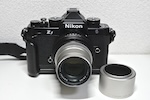
testing,,,by CV UWH 15mmF/4.5 III

_________________
Our Home Page has 18,200 photos in 575 directories today.
Lenses: https://www.pbase.com/kkawakami/top_level_my_lenses |
|
| Nach oben |
|
|
Attila
Anmeldungsdatum: 24.02.2007
Beiträge: 58004
Expire: 2025-11-18
|
Verfasst am: Mi Sep 30, 2015 12:11 am Titel: |
|
Verfasst am: Mi Sep 30, 2015 12:11 am Titel: |
|
|
Attila wrote:
  Nice to see your post again! |
|
| Nach oben |
|
|
miran
Anmeldungsdatum: 01.08.2012
Beiträge: 1364
Wohnort: Slovenia
|
Verfasst am: Mi Sep 30, 2015 5:13 am Titel: |
|
Verfasst am: Mi Sep 30, 2015 5:13 am Titel: |
|
|
miran wrote:
| Zitat: |
About 20% of the image is not visible and I have to scroll to the right to see it. My monitor is 1920 x 1200, so, if what you're saying is true, Attila, I should have 420 pixels left over, but I don't.
So I got to thinking maybe my browser was to blame. I tried three others and they all show the same amount of image wrap. So I went back to my original browser and set the image size to 80%. Still, there's a wrap. So I reduced image size to 67%. Finally, that did it, but now the text is so tiny, I need to wear magnifying glasses just to see the text.
So now I'm wondering why I'm seeing the images magnified by a significant amount, when others here are reporting normal displays. I don't know what to do now . . |
Maybe you have turned on the magnify option in your browser and don't even know it. Keyboard shortcuts are ctrl++ to zoom in, ctrl+- to zoom out and ctrl+0 to reset to 100%. These are also somewhere in the menus. All browsers have this but behaviour differs a bit. In firefox pressing ctrl++ magnifies both text and images. If I press ctrl++ a couple of times I get the same behaviour you're describing (1500x1000 photo too wide for the screen and scrollbars appear) when at default settings (ctrl+0) everything looks as it should.
_________________
my flickr stream |
|
| Nach oben |
|
|
cooltouch
Anmeldungsdatum: 15.01.2009
Beiträge: 9096
Wohnort: Houston, Texas
|
Verfasst am: Mi Sep 30, 2015 7:47 pm Titel: |
|
Verfasst am: Mi Sep 30, 2015 7:47 pm Titel: |
|
|
cooltouch wrote:
| miran hat folgendes geschrieben:: |
Maybe you have turned on the magnify option in your browser and don't even know it. Keyboard shortcuts are ctrl++ to zoom in, ctrl+- to zoom out and ctrl+0 to reset to 100%. These are also somewhere in the menus. All browsers have this but behaviour differs a bit. In firefox pressing ctrl++ magnifies both text and images. If I press ctrl++ a couple of times I get the same behaviour you're describing (1500x1000 photo too wide for the screen and scrollbars appear) when at default settings (ctrl+0) everything looks as it should. |
That's the first thing I tried. I use Mozzila's Seamonkey (the original Netscape browser) for most of my internet work, but I also use Chrome and Torch (a Chrome clone) quite a bit. And the sizing commands work the same with all browsers I tried. I found that, if I reduce the size of the browser window to about 67%, that took care of the problem, but it made the text so impossibly small that I had to use reading glasses to see it.
q
_________________
Michael
My Gear List: http://michaelmcbroom.com/photo/gear.html
My Gallery: http://michaelmcbroom.com/gallery3/index.php/
My Flickr Page: https://www.flickr.com/photos/11308754@N08/albums
My Music: https://soundcloud.com/michaelmcbroom/albums
My Blog: http://michaelmcbroom.com/blogistan/ |
|
| Nach oben |
|
|
visualopsins

Anmeldungsdatum: 05.03.2009
Beiträge: 11702
Wohnort: California
Expire: 2027-07-11
|
Verfasst am: Fr Okt 02, 2015 12:03 am Titel: |
|
Verfasst am: Fr Okt 02, 2015 12:03 am Titel: |
|
|
visualopsins wrote:
| cooltouch hat folgendes geschrieben:: |
| Attila hat folgendes geschrieben:: |
| If you upload less or same size than 1500px wide, it will be not re-sized. |
Ok, here's a 1500 x 1000 image of mine.
[nice image]
About 20% of the image is not visible and I have to scroll to the right to see it. My monitor is 1920 x 1200, so, if what you're saying is true, Attila, I should have 420 pixels left over, but I don't.
So I got to thinking maybe my browser was to blame. I tried three others and they all show the same amount of image wrap. So I went back to my original browser and set the image size to 80%. Still, there's a wrap. So I reduced image size to 67%. Finally, that did it, but now the text is so tiny, I need to wear magnifying glasses just to see the text.
So now I'm wondering why I'm seeing the images magnified by a significant amount, when others here are reporting normal displays. I don't know what to do now . . . |
Michael, your image (almost) fits my monitor, which is 1680x1050 -- i.e., your monitor is not displaying full 1920 pixels wide -- all except 25-50 pixels, a tiny scroll to the right for me.
_________________
☮☮☮☮☮☮☮☮☮☮☮☮☮☮☮☮☮☮☮☮☮☮☮☮☮☮☮☮☮☮☮☮ like attracts like! ☮☮☮☮☮☮☮☮☮☮☮☮☮☮☮☮☮☮☮☮☮☮☮☮☮☮☮☮☮☮☮☮
Cameras: Sony ILCE-7RM2, Spotmatics II, F, and ESII, Nikon P4
Lenses:
M42 Asahi Optical Co., Takumar 1:4 f=35mm, 1:2 f=58mm (Sonnar), 1:2.4 f=58mm (Heliar), 1:2.2 f=55mm (Gaussian), 1:2.8 f=105mm (Model I), 1:2.8/105 (Model II), 1:5.6/200, Tele-Takumar 1:5.6/200, 1:6.3/300, Macro-Takumar 1:4/50, Auto-Takumar 1:2.3 f=35, 1:1.8 f=55mm, 1:2.2 f=55mm, Super-TAKUMAR 1:3.5/28 (fat), 1:2/35 (Fat), 1:1.4/50 (8-element), Super-Multi-Coated Fisheye-TAKUMAR 1:4/17, Super-Multi-Coated TAKUMAR 1:4.5/20, 1:3.5/24, 1:3.5/28, 1:2/35, 1:3.5/35, 1:1.8/85, 1:1.9/85 1:2.8/105, 1:3.5/135, 1:2.5/135 (II), 1:4/150, 1:4/200, 1:4/300, 1:4.5/500, Super-Multi-Coated Macro-TAKUMAR 1:4/50, 1:4/100, Super-Multi-Coated Bellows-TAKUMAR 1:4/100, SMC TAKUMAR 1:1.4/50, 1:1.8/55
M42 Carl Zeiss Jena Flektogon 2.4/35
Contax Carl Zeiss Vario-Sonnar T* 28-70mm F3.5-4.5
Pentax K-mount SMC PENTAX-A ZOOM 1:3.5 35~105mm, SMC PENTAX ZOOM 1:4 45~125mm
Nikon Micro-NIKKOR-P-C Auto 1:3.5 f=55mm, NIKKOR-P Auto 105mm f/2.5 Pre-AI (Sonnar), Micro-NIKKOR 105mm 1:4 AI, NIKKOR AI-S 35-135mm f/3,5-4,5
Solinon 1:5.6/18 ASPH.
Tamron SP 17mm f/3.5 (51B), Tamron SP 17mm f/3.5 (151B), SP 500mm f/8 (55BB), SP 70-210mm f/3.5 (19AH)
Vivitar 100mm 1:2.8 MC 1:1 Macro Telephoto (Kiron)
|
|
| Nach oben |
|
|
cooltouch
Anmeldungsdatum: 15.01.2009
Beiträge: 9096
Wohnort: Houston, Texas
|
Verfasst am: Fr Okt 02, 2015 12:17 am Titel: |
|
Verfasst am: Fr Okt 02, 2015 12:17 am Titel: |
|
|
cooltouch wrote:
One of the first things I checked was to make sure that my monitor's resolution hadn't been accidentally changed. It hadn't. The monitor is set at 1920x1200.
Far as that goes, with your 1680 pixel wide screen, shouldn't you have 180 pixels lef over, instead of having to scroll righ by 25-50 pixels? Sounds like I'm not the only one.
I'm typing this right now on my iPod Air, which has a 2048x1536 pixel display. That 1500 pixel wide image I posted above fits this screen, including the member info to the left. But I should have 548 pixels left over from the image, and no way does the member info occupy 548 pixels. So I'm still getting image magnification using the Safari browser, which comes standard with the iPad. I guess the 128 additional pixels over my other computer's monitor are enough to deal with the enlargement. On this device, at any rate.
_________________
Michael
My Gear List: http://michaelmcbroom.com/photo/gear.html
My Gallery: http://michaelmcbroom.com/gallery3/index.php/
My Flickr Page: https://www.flickr.com/photos/11308754@N08/albums
My Music: https://soundcloud.com/michaelmcbroom/albums
My Blog: http://michaelmcbroom.com/blogistan/
Zuletzt bearbeitet von cooltouch am Fr Okt 02, 2015 12:31 am, insgesamt ein Mal bearbeitet |
|
| Nach oben |
|
|
visualopsins
Anmeldungsdatum: 05.03.2009
Beiträge: 11702
Wohnort: California
Expire: 2027-07-11
|
Verfasst am: Fr Okt 02, 2015 12:31 am Titel: |
|
Verfasst am: Fr Okt 02, 2015 12:31 am Titel: |
|
|
visualopsins wrote:
| cooltouch hat folgendes geschrieben:: |
One of the first things I checked was to make sure that my monitor's resolution hadn't been accidentally changed. It hadn't. The monitor is set at 1920x1200.
Far as that goes, with your 1680 pixel wide screen, shouldn't you have 180 pixels lef over, instead of having to scroll righ by 25-50 pixels? Sounds like I'm not the only one. |
Well, no, because there's the frame on the left with user names & avatars, about 300 px wide, then the frame on the right with the image and message text. So with the image 1500px wide, plus 200 px or so for the frame with user names & avatars, the whole page is 1700px or so wide. On 1680px wide monitor 1700px is a tiny scroll.
_________________
☮☮☮☮☮☮☮☮☮☮☮☮☮☮☮☮☮☮☮☮☮☮☮☮☮☮☮☮☮☮☮☮ like attracts like! ☮☮☮☮☮☮☮☮☮☮☮☮☮☮☮☮☮☮☮☮☮☮☮☮☮☮☮☮☮☮☮☮
Cameras: Sony ILCE-7RM2, Spotmatics II, F, and ESII, Nikon P4
Lenses:
M42 Asahi Optical Co., Takumar 1:4 f=35mm, 1:2 f=58mm (Sonnar), 1:2.4 f=58mm (Heliar), 1:2.2 f=55mm (Gaussian), 1:2.8 f=105mm (Model I), 1:2.8/105 (Model II), 1:5.6/200, Tele-Takumar 1:5.6/200, 1:6.3/300, Macro-Takumar 1:4/50, Auto-Takumar 1:2.3 f=35, 1:1.8 f=55mm, 1:2.2 f=55mm, Super-TAKUMAR 1:3.5/28 (fat), 1:2/35 (Fat), 1:1.4/50 (8-element), Super-Multi-Coated Fisheye-TAKUMAR 1:4/17, Super-Multi-Coated TAKUMAR 1:4.5/20, 1:3.5/24, 1:3.5/28, 1:2/35, 1:3.5/35, 1:1.8/85, 1:1.9/85 1:2.8/105, 1:3.5/135, 1:2.5/135 (II), 1:4/150, 1:4/200, 1:4/300, 1:4.5/500, Super-Multi-Coated Macro-TAKUMAR 1:4/50, 1:4/100, Super-Multi-Coated Bellows-TAKUMAR 1:4/100, SMC TAKUMAR 1:1.4/50, 1:1.8/55
M42 Carl Zeiss Jena Flektogon 2.4/35
Contax Carl Zeiss Vario-Sonnar T* 28-70mm F3.5-4.5
Pentax K-mount SMC PENTAX-A ZOOM 1:3.5 35~105mm, SMC PENTAX ZOOM 1:4 45~125mm
Nikon Micro-NIKKOR-P-C Auto 1:3.5 f=55mm, NIKKOR-P Auto 105mm f/2.5 Pre-AI (Sonnar), Micro-NIKKOR 105mm 1:4 AI, NIKKOR AI-S 35-135mm f/3,5-4,5
Solinon 1:5.6/18 ASPH.
Tamron SP 17mm f/3.5 (51B), Tamron SP 17mm f/3.5 (151B), SP 500mm f/8 (55BB), SP 70-210mm f/3.5 (19AH)
Vivitar 100mm 1:2.8 MC 1:1 Macro Telephoto (Kiron)
|
|
| Nach oben |
|
|
cooltouch
Anmeldungsdatum: 15.01.2009
Beiträge: 9096
Wohnort: Houston, Texas
|
Verfasst am: Fr Okt 02, 2015 12:33 am Titel: |
|
Verfasst am: Fr Okt 02, 2015 12:33 am Titel: |
|
|
cooltouch wrote:
Yeah, I forgot to take tha into account. See my edited image above concerning my iPad. And the user info is not 300 pixels wide. I just checked. My avatar is 150 pixels wide, and it takes up the entire width of the member info box.
_________________
Michael
My Gear List: http://michaelmcbroom.com/photo/gear.html
My Gallery: http://michaelmcbroom.com/gallery3/index.php/
My Flickr Page: https://www.flickr.com/photos/11308754@N08/albums
My Music: https://soundcloud.com/michaelmcbroom/albums
My Blog: http://michaelmcbroom.com/blogistan/ |
|
| Nach oben |
|
|
|
|
 Deutsch
 Español
 中文
 Magyar
 Русский
 日本語
 Français