| Vorheriges Thema anzeigen :: Nächstes Thema anzeigen |
| Autor |
Nachricht |
e6filmuser 

Anmeldungsdatum: 12.11.2010
Beiträge: 1159
Wohnort: Reading UK
|
 Verfasst am: So Mai 19, 2024 9:25 am Titel: Image Upload Problem |
|
Verfasst am: So Mai 19, 2024 9:25 am Titel: Image Upload Problem |
|
|
e6filmuser wrote:
I am unable to upload images of any size from a certain set, whether in the original folder or if moved to another. I am unable to upload when I clock "Send" "Bad request, the server does not understand.."
Those images have been uploaded with no problems on another website.
Other images from the same camera and processed in the same software can be uploaded in the reply which refuses the ones in question. This is in the Stereo experiments with adapted lenses thread.
_________________
Dedicated to using manual focus lenses with digital. Equiped for photography from macro to panoramic & from ultra-wide to extreme telephoto. Mostly shooting outdoor macro. Experienced entomological taxonomist. Some knowledge of mushrooms. |
|
| Nach oben |
|
 |
visualopsins


Anmeldungsdatum: 05.03.2009
Beiträge: 11698
Wohnort: California
Expire: 2027-07-11
|
Verfasst am: So Mai 19, 2024 10:02 am Titel: Re: Image Upload Problem |
|
Verfasst am: So Mai 19, 2024 10:02 am Titel: Re: Image Upload Problem |
|
|
visualopsins wrote:
| e6filmuser hat folgendes geschrieben:: |
I am unable to upload images of any size from a certain set, whether in the original folder or if moved to another. I am unable to upload when I clock "Send" "Bad request, the server does not understand.."
Those images have been uploaded with no problems on another website.
Other images from the same camera and processed in the same software can be uploaded in the reply which refuses the ones in question. This is in the Stereo experiments with adapted lenses thread. |
Suggest trying again to be sure the problem wasn't temporary.
Have you tried the Drag and Drop upload?
_________________
☮☮☮☮☮☮☮☮☮☮☮☮☮☮☮☮☮☮☮☮☮☮☮☮☮☮☮☮☮☮☮☮ like attracts like! ☮☮☮☮☮☮☮☮☮☮☮☮☮☮☮☮☮☮☮☮☮☮☮☮☮☮☮☮☮☮☮☮
Cameras: Sony ILCE-7RM2, Spotmatics II, F, and ESII, Nikon P4
Lenses:
M42 Asahi Optical Co., Takumar 1:4 f=35mm, 1:2 f=58mm (Sonnar), 1:2.4 f=58mm (Heliar), 1:2.2 f=55mm (Gaussian), 1:2.8 f=105mm (Model I), 1:2.8/105 (Model II), 1:5.6/200, Tele-Takumar 1:5.6/200, 1:6.3/300, Macro-Takumar 1:4/50, Auto-Takumar 1:2.3 f=35, 1:1.8 f=55mm, 1:2.2 f=55mm, Super-TAKUMAR 1:3.5/28 (fat), 1:2/35 (Fat), 1:1.4/50 (8-element), Super-Multi-Coated Fisheye-TAKUMAR 1:4/17, Super-Multi-Coated TAKUMAR 1:4.5/20, 1:3.5/24, 1:3.5/28, 1:2/35, 1:3.5/35, 1:1.8/85, 1:1.9/85 1:2.8/105, 1:3.5/135, 1:2.5/135 (II), 1:4/150, 1:4/200, 1:4/300, 1:4.5/500, Super-Multi-Coated Macro-TAKUMAR 1:4/50, 1:4/100, Super-Multi-Coated Bellows-TAKUMAR 1:4/100, SMC TAKUMAR 1:1.4/50, 1:1.8/55
M42 Carl Zeiss Jena Flektogon 2.4/35
Contax Carl Zeiss Vario-Sonnar T* 28-70mm F3.5-4.5
Pentax K-mount SMC PENTAX-A ZOOM 1:3.5 35~105mm, SMC PENTAX ZOOM 1:4 45~125mm
Nikon Micro-NIKKOR-P-C Auto 1:3.5 f=55mm, NIKKOR-P Auto 105mm f/2.5 Pre-AI (Sonnar), Micro-NIKKOR 105mm 1:4 AI, NIKKOR AI-S 35-135mm f/3,5-4,5
Solinon 1:5.6/18 ASPH.
Tamron SP 17mm f/3.5 (51B), Tamron SP 17mm f/3.5 (151B), SP 500mm f/8 (55BB), SP 70-210mm f/3.5 (19AH)
Vivitar 100mm 1:2.8 MC 1:1 Macro Telephoto (Kiron)
|
|
| Nach oben |
|
|
e6filmuser
Anmeldungsdatum: 12.11.2010
Beiträge: 1159
Wohnort: Reading UK
|
Verfasst am: So Mai 19, 2024 10:14 am Titel: Re: Image Upload Problem |
|
Verfasst am: So Mai 19, 2024 10:14 am Titel: Re: Image Upload Problem |
|
|
e6filmuser wrote:
| visualopsins hat folgendes geschrieben:: |
| e6filmuser hat folgendes geschrieben:: |
I am unable to upload images of any size from a certain set, whether in the original folder or if moved to another. I am unable to upload when I clock "Send" "Bad request, the server does not understand.."
Those images have been uploaded with no problems on another website.
Other images from the same camera and processed in the same software can be uploaded in the reply which refuses the ones in question. This is in the Stereo experiments with adapted lenses thread. |
Suggest trying again to be sure the problem wasn't temporary.
Have you tried the Drag and Drop upload? |
Tried several times on different days. Drag and drop doesn't work.
_________________
Dedicated to using manual focus lenses with digital. Equiped for photography from macro to panoramic & from ultra-wide to extreme telephoto. Mostly shooting outdoor macro. Experienced entomological taxonomist. Some knowledge of mushrooms. |
|
| Nach oben |
|
|
visualopsins
Anmeldungsdatum: 05.03.2009
Beiträge: 11698
Wohnort: California
Expire: 2027-07-11
|
Verfasst am: So Mai 19, 2024 10:34 am Titel: |
|
Verfasst am: So Mai 19, 2024 10:34 am Titel: |
|
|
visualopsins wrote:
Ok let's make sure I understand:
1. Click the Upload picture button
2 . An UploadPic window pops up
3. Click Browse button
4. A file selection window pops up
5. Select file then click Open button
6. The selected filename appears in the Picture file textbox
7. Click the Send button
8.  I'm getting a "410 page" in the UploadPic window. Time to tell Attila about this problem only he can fix.
_________________
☮☮☮☮☮☮☮☮☮☮☮☮☮☮☮☮☮☮☮☮☮☮☮☮☮☮☮☮☮☮☮☮ like attracts like! ☮☮☮☮☮☮☮☮☮☮☮☮☮☮☮☮☮☮☮☮☮☮☮☮☮☮☮☮☮☮☮☮
Cameras: Sony ILCE-7RM2, Spotmatics II, F, and ESII, Nikon P4
Lenses:
M42 Asahi Optical Co., Takumar 1:4 f=35mm, 1:2 f=58mm (Sonnar), 1:2.4 f=58mm (Heliar), 1:2.2 f=55mm (Gaussian), 1:2.8 f=105mm (Model I), 1:2.8/105 (Model II), 1:5.6/200, Tele-Takumar 1:5.6/200, 1:6.3/300, Macro-Takumar 1:4/50, Auto-Takumar 1:2.3 f=35, 1:1.8 f=55mm, 1:2.2 f=55mm, Super-TAKUMAR 1:3.5/28 (fat), 1:2/35 (Fat), 1:1.4/50 (8-element), Super-Multi-Coated Fisheye-TAKUMAR 1:4/17, Super-Multi-Coated TAKUMAR 1:4.5/20, 1:3.5/24, 1:3.5/28, 1:2/35, 1:3.5/35, 1:1.8/85, 1:1.9/85 1:2.8/105, 1:3.5/135, 1:2.5/135 (II), 1:4/150, 1:4/200, 1:4/300, 1:4.5/500, Super-Multi-Coated Macro-TAKUMAR 1:4/50, 1:4/100, Super-Multi-Coated Bellows-TAKUMAR 1:4/100, SMC TAKUMAR 1:1.4/50, 1:1.8/55
M42 Carl Zeiss Jena Flektogon 2.4/35
Contax Carl Zeiss Vario-Sonnar T* 28-70mm F3.5-4.5
Pentax K-mount SMC PENTAX-A ZOOM 1:3.5 35~105mm, SMC PENTAX ZOOM 1:4 45~125mm
Nikon Micro-NIKKOR-P-C Auto 1:3.5 f=55mm, NIKKOR-P Auto 105mm f/2.5 Pre-AI (Sonnar), Micro-NIKKOR 105mm 1:4 AI, NIKKOR AI-S 35-135mm f/3,5-4,5
Solinon 1:5.6/18 ASPH.
Tamron SP 17mm f/3.5 (51B), Tamron SP 17mm f/3.5 (151B), SP 500mm f/8 (55BB), SP 70-210mm f/3.5 (19AH)
Vivitar 100mm 1:2.8 MC 1:1 Macro Telephoto (Kiron)
|
|
| Nach oben |
|
|
e6filmuser
Anmeldungsdatum: 12.11.2010
Beiträge: 1159
Wohnort: Reading UK
|
Verfasst am: So Mai 19, 2024 10:54 am Titel: |
|
Verfasst am: So Mai 19, 2024 10:54 am Titel: |
|
|
e6filmuser wrote:
| visualopsins hat folgendes geschrieben:: |
Ok let's make sure I understand:
1. Click the Upload picture button
2 . An UploadPic window pops up
3. Click Browse button
4. A file selection window pops up
5. Select file then click Open button
6. The selected filename appears in the Picture file textbox
7. Click the Send button
8. I'm getting a "410 page" in the UploadPic window. Time to tell Attila about this problem only he can fix. |
I get a different error code, "bad request".
At least its not personal. 
Are you PMing Attila?
I had similar problems a week or two ago. Aftr a few days it clard.
_________________
Dedicated to using manual focus lenses with digital. Equiped for photography from macro to panoramic & from ultra-wide to extreme telephoto. Mostly shooting outdoor macro. Experienced entomological taxonomist. Some knowledge of mushrooms. |
|
| Nach oben |
|
|
visualopsins
Anmeldungsdatum: 05.03.2009
Beiträge: 11698
Wohnort: California
Expire: 2027-07-11
|
Verfasst am: So Mai 19, 2024 11:10 am Titel: |
|
Verfasst am: So Mai 19, 2024 11:10 am Titel: |
|
|
visualopsins wrote:
| e6filmuser hat folgendes geschrieben:: |
| visualopsins hat folgendes geschrieben:: |
Ok let's make sure I understand:
1. Click the Upload picture button
2 . An UploadPic window pops up
3. Click Browse button
4. A file selection window pops up
5. Select file then click Open button
6. The selected filename appears in the Picture file textbox
7. Click the Send button
8. I'm getting a "410 page" in the UploadPic window. Time to tell Attila about this problem only he can fix. |
I get a different error code, "bad request".
At least its not personal.
Are you PMing Attila?
I had similar problems a week or two ago. Aftr a few days it clard. |
PM sent.
_________________
☮☮☮☮☮☮☮☮☮☮☮☮☮☮☮☮☮☮☮☮☮☮☮☮☮☮☮☮☮☮☮☮ like attracts like! ☮☮☮☮☮☮☮☮☮☮☮☮☮☮☮☮☮☮☮☮☮☮☮☮☮☮☮☮☮☮☮☮
Cameras: Sony ILCE-7RM2, Spotmatics II, F, and ESII, Nikon P4
Lenses:
M42 Asahi Optical Co., Takumar 1:4 f=35mm, 1:2 f=58mm (Sonnar), 1:2.4 f=58mm (Heliar), 1:2.2 f=55mm (Gaussian), 1:2.8 f=105mm (Model I), 1:2.8/105 (Model II), 1:5.6/200, Tele-Takumar 1:5.6/200, 1:6.3/300, Macro-Takumar 1:4/50, Auto-Takumar 1:2.3 f=35, 1:1.8 f=55mm, 1:2.2 f=55mm, Super-TAKUMAR 1:3.5/28 (fat), 1:2/35 (Fat), 1:1.4/50 (8-element), Super-Multi-Coated Fisheye-TAKUMAR 1:4/17, Super-Multi-Coated TAKUMAR 1:4.5/20, 1:3.5/24, 1:3.5/28, 1:2/35, 1:3.5/35, 1:1.8/85, 1:1.9/85 1:2.8/105, 1:3.5/135, 1:2.5/135 (II), 1:4/150, 1:4/200, 1:4/300, 1:4.5/500, Super-Multi-Coated Macro-TAKUMAR 1:4/50, 1:4/100, Super-Multi-Coated Bellows-TAKUMAR 1:4/100, SMC TAKUMAR 1:1.4/50, 1:1.8/55
M42 Carl Zeiss Jena Flektogon 2.4/35
Contax Carl Zeiss Vario-Sonnar T* 28-70mm F3.5-4.5
Pentax K-mount SMC PENTAX-A ZOOM 1:3.5 35~105mm, SMC PENTAX ZOOM 1:4 45~125mm
Nikon Micro-NIKKOR-P-C Auto 1:3.5 f=55mm, NIKKOR-P Auto 105mm f/2.5 Pre-AI (Sonnar), Micro-NIKKOR 105mm 1:4 AI, NIKKOR AI-S 35-135mm f/3,5-4,5
Solinon 1:5.6/18 ASPH.
Tamron SP 17mm f/3.5 (51B), Tamron SP 17mm f/3.5 (151B), SP 500mm f/8 (55BB), SP 70-210mm f/3.5 (19AH)
Vivitar 100mm 1:2.8 MC 1:1 Macro Telephoto (Kiron)
|
|
| Nach oben |
|
|
D1N0

Anmeldungsdatum: 07.08.2012
Beiträge: 2726
|
Verfasst am: So Mai 19, 2024 1:07 pm Titel: |
|
Verfasst am: So Mai 19, 2024 1:07 pm Titel: |
|
|
D1N0 wrote:
No problems for me
_________________
pentaxian |
|
| Nach oben |
|
|
visualopsins
Anmeldungsdatum: 05.03.2009
Beiträge: 11698
Wohnort: California
Expire: 2027-07-11
|
Verfasst am: So Mai 19, 2024 1:44 pm Titel: |
|
Verfasst am: So Mai 19, 2024 1:44 pm Titel: |
|
|
visualopsins wrote:
| D1N0 hat folgendes geschrieben:: |
| No problems for me |

Working now for me too, How about you @e6filmuser, can you try it?

_________________
☮☮☮☮☮☮☮☮☮☮☮☮☮☮☮☮☮☮☮☮☮☮☮☮☮☮☮☮☮☮☮☮ like attracts like! ☮☮☮☮☮☮☮☮☮☮☮☮☮☮☮☮☮☮☮☮☮☮☮☮☮☮☮☮☮☮☮☮
Cameras: Sony ILCE-7RM2, Spotmatics II, F, and ESII, Nikon P4
Lenses:
M42 Asahi Optical Co., Takumar 1:4 f=35mm, 1:2 f=58mm (Sonnar), 1:2.4 f=58mm (Heliar), 1:2.2 f=55mm (Gaussian), 1:2.8 f=105mm (Model I), 1:2.8/105 (Model II), 1:5.6/200, Tele-Takumar 1:5.6/200, 1:6.3/300, Macro-Takumar 1:4/50, Auto-Takumar 1:2.3 f=35, 1:1.8 f=55mm, 1:2.2 f=55mm, Super-TAKUMAR 1:3.5/28 (fat), 1:2/35 (Fat), 1:1.4/50 (8-element), Super-Multi-Coated Fisheye-TAKUMAR 1:4/17, Super-Multi-Coated TAKUMAR 1:4.5/20, 1:3.5/24, 1:3.5/28, 1:2/35, 1:3.5/35, 1:1.8/85, 1:1.9/85 1:2.8/105, 1:3.5/135, 1:2.5/135 (II), 1:4/150, 1:4/200, 1:4/300, 1:4.5/500, Super-Multi-Coated Macro-TAKUMAR 1:4/50, 1:4/100, Super-Multi-Coated Bellows-TAKUMAR 1:4/100, SMC TAKUMAR 1:1.4/50, 1:1.8/55
M42 Carl Zeiss Jena Flektogon 2.4/35
Contax Carl Zeiss Vario-Sonnar T* 28-70mm F3.5-4.5
Pentax K-mount SMC PENTAX-A ZOOM 1:3.5 35~105mm, SMC PENTAX ZOOM 1:4 45~125mm
Nikon Micro-NIKKOR-P-C Auto 1:3.5 f=55mm, NIKKOR-P Auto 105mm f/2.5 Pre-AI (Sonnar), Micro-NIKKOR 105mm 1:4 AI, NIKKOR AI-S 35-135mm f/3,5-4,5
Solinon 1:5.6/18 ASPH.
Tamron SP 17mm f/3.5 (51B), Tamron SP 17mm f/3.5 (151B), SP 500mm f/8 (55BB), SP 70-210mm f/3.5 (19AH)
Vivitar 100mm 1:2.8 MC 1:1 Macro Telephoto (Kiron)
|
|
| Nach oben |
|
|
e6filmuser
Anmeldungsdatum: 12.11.2010
Beiträge: 1159
Wohnort: Reading UK
|
Verfasst am: So Mai 19, 2024 1:52 pm Titel: |
|
Verfasst am: So Mai 19, 2024 1:52 pm Titel: |
|
|
e6filmuser wrote:
| D1N0 hat folgendes geschrieben:: |
| No problems for me |
No problems for me either with most images.
_________________
Dedicated to using manual focus lenses with digital. Equiped for photography from macro to panoramic & from ultra-wide to extreme telephoto. Mostly shooting outdoor macro. Experienced entomological taxonomist. Some knowledge of mushrooms. |
|
| Nach oben |
|
|
e6filmuser
Anmeldungsdatum: 12.11.2010
Beiträge: 1159
Wohnort: Reading UK
|
Verfasst am: So Mai 19, 2024 1:54 pm Titel: |
|
Verfasst am: So Mai 19, 2024 1:54 pm Titel: |
|
|
e6filmuser wrote:
No. Just the same.
_________________
Dedicated to using manual focus lenses with digital. Equiped for photography from macro to panoramic & from ultra-wide to extreme telephoto. Mostly shooting outdoor macro. Experienced entomological taxonomist. Some knowledge of mushrooms. |
|
| Nach oben |
|
|
visualopsins
Anmeldungsdatum: 05.03.2009
Beiträge: 11698
Wohnort: California
Expire: 2027-07-11
|
Verfasst am: So Mai 19, 2024 2:01 pm Titel: |
|
Verfasst am: So Mai 19, 2024 2:01 pm Titel: |
|
|
visualopsins wrote:
| e6filmuser hat folgendes geschrieben:: |
| No. Just the same. |
What is the file size and the pixel dimensions please?
_________________
☮☮☮☮☮☮☮☮☮☮☮☮☮☮☮☮☮☮☮☮☮☮☮☮☮☮☮☮☮☮☮☮ like attracts like! ☮☮☮☮☮☮☮☮☮☮☮☮☮☮☮☮☮☮☮☮☮☮☮☮☮☮☮☮☮☮☮☮
Cameras: Sony ILCE-7RM2, Spotmatics II, F, and ESII, Nikon P4
Lenses:
M42 Asahi Optical Co., Takumar 1:4 f=35mm, 1:2 f=58mm (Sonnar), 1:2.4 f=58mm (Heliar), 1:2.2 f=55mm (Gaussian), 1:2.8 f=105mm (Model I), 1:2.8/105 (Model II), 1:5.6/200, Tele-Takumar 1:5.6/200, 1:6.3/300, Macro-Takumar 1:4/50, Auto-Takumar 1:2.3 f=35, 1:1.8 f=55mm, 1:2.2 f=55mm, Super-TAKUMAR 1:3.5/28 (fat), 1:2/35 (Fat), 1:1.4/50 (8-element), Super-Multi-Coated Fisheye-TAKUMAR 1:4/17, Super-Multi-Coated TAKUMAR 1:4.5/20, 1:3.5/24, 1:3.5/28, 1:2/35, 1:3.5/35, 1:1.8/85, 1:1.9/85 1:2.8/105, 1:3.5/135, 1:2.5/135 (II), 1:4/150, 1:4/200, 1:4/300, 1:4.5/500, Super-Multi-Coated Macro-TAKUMAR 1:4/50, 1:4/100, Super-Multi-Coated Bellows-TAKUMAR 1:4/100, SMC TAKUMAR 1:1.4/50, 1:1.8/55
M42 Carl Zeiss Jena Flektogon 2.4/35
Contax Carl Zeiss Vario-Sonnar T* 28-70mm F3.5-4.5
Pentax K-mount SMC PENTAX-A ZOOM 1:3.5 35~105mm, SMC PENTAX ZOOM 1:4 45~125mm
Nikon Micro-NIKKOR-P-C Auto 1:3.5 f=55mm, NIKKOR-P Auto 105mm f/2.5 Pre-AI (Sonnar), Micro-NIKKOR 105mm 1:4 AI, NIKKOR AI-S 35-135mm f/3,5-4,5
Solinon 1:5.6/18 ASPH.
Tamron SP 17mm f/3.5 (51B), Tamron SP 17mm f/3.5 (151B), SP 500mm f/8 (55BB), SP 70-210mm f/3.5 (19AH)
Vivitar 100mm 1:2.8 MC 1:1 Macro Telephoto (Kiron)
|
|
| Nach oben |
|
|
D1N0
Anmeldungsdatum: 07.08.2012
Beiträge: 2726
|
Verfasst am: So Mai 19, 2024 2:01 pm Titel: |
|
Verfasst am: So Mai 19, 2024 2:01 pm Titel: |
|
|
D1N0 wrote:
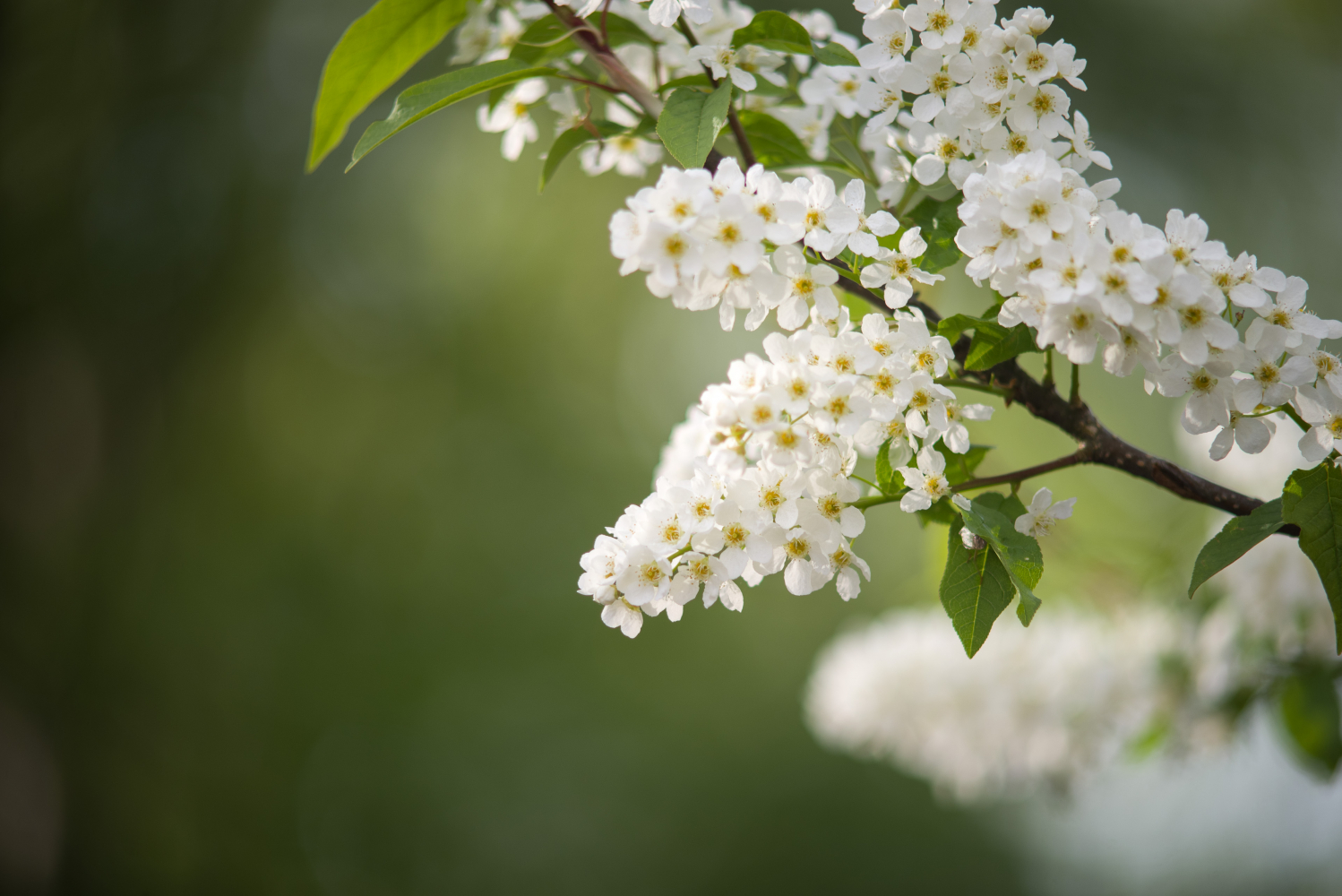
test
_________________
pentaxian |
|
| Nach oben |
|
|
e6filmuser
Anmeldungsdatum: 12.11.2010
Beiträge: 1159
Wohnort: Reading UK
|
Verfasst am: So Mai 19, 2024 2:17 pm Titel: |
|
Verfasst am: So Mai 19, 2024 2:17 pm Titel: |
|
|
e6filmuser wrote:
| visualopsins hat folgendes geschrieben:: |
| e6filmuser hat folgendes geschrieben:: |
| No. Just the same. |
What is the file size and the pixel dimensions please? |
Dimensions from 1024 to 1200 to 1600 wide, files sizes 543, 326, 326KB
Other times, if ii accidentally try to upload a file which is too large I will be told so.
_________________
Dedicated to using manual focus lenses with digital. Equiped for photography from macro to panoramic & from ultra-wide to extreme telephoto. Mostly shooting outdoor macro. Experienced entomological taxonomist. Some knowledge of mushrooms. |
|
| Nach oben |
|
|
e6filmuser
Anmeldungsdatum: 12.11.2010
Beiträge: 1159
Wohnort: Reading UK
|
Verfasst am: So Mai 19, 2024 2:26 pm Titel: |
|
Verfasst am: So Mai 19, 2024 2:26 pm Titel: |
|
|
e6filmuser wrote:
Images from the same set, and the same lens, were previously uploaded here with no problem:
https://forum.mflenses.com/bronica-zenza-zenzanon-pe-75mm-on-a7r3-a-special-well-t81973,highlight,%2Bbronica.html
_________________
Dedicated to using manual focus lenses with digital. Equiped for photography from macro to panoramic & from ultra-wide to extreme telephoto. Mostly shooting outdoor macro. Experienced entomological taxonomist. Some knowledge of mushrooms. |
|
| Nach oben |
|
|
blotafton

Anmeldungsdatum: 08.08.2013
Beiträge: 1794
Wohnort: Sweden
|
Verfasst am: So Mai 19, 2024 2:56 pm Titel: Re: Image Upload Problem |
|
Verfasst am: So Mai 19, 2024 2:56 pm Titel: Re: Image Upload Problem |
|
|
blotafton wrote:
I also had issues with some shots for the stereo photo thread. I kept scaling down the size then it worked. |
|
| Nach oben |
|
|
e6filmuser
Anmeldungsdatum: 12.11.2010
Beiträge: 1159
Wohnort: Reading UK
|
Verfasst am: So Mai 19, 2024 3:04 pm Titel: Re: Image Upload Problem |
|
Verfasst am: So Mai 19, 2024 3:04 pm Titel: Re: Image Upload Problem |
|
|
e6filmuser wrote:
| blotafton hat folgendes geschrieben:: |
| I also had issues with some shots for the stereo photo thread. I kept scaling down the size then it worked. |
Tried that early on. Size and or quality.
_________________
Dedicated to using manual focus lenses with digital. Equiped for photography from macro to panoramic & from ultra-wide to extreme telephoto. Mostly shooting outdoor macro. Experienced entomological taxonomist. Some knowledge of mushrooms. |
|
| Nach oben |
|
|
D1N0
Anmeldungsdatum: 07.08.2012
Beiträge: 2726
|
Verfasst am: So Mai 19, 2024 6:03 pm Titel: |
|
Verfasst am: So Mai 19, 2024 6:03 pm Titel: |
|
|
D1N0 wrote:
I am also getting 410 errors sometimes. Some pics I can upload, some I can't. There is no real difference between those images but it seems to be consistent which I can upload and which I can't.
410 means the resource has been intentionally removed from the server.
_________________
pentaxian |
|
| Nach oben |
|
|
Attila

Anmeldungsdatum: 24.02.2007
Beiträge: 58002
Expire: 2025-11-18
|
Verfasst am: Sa Jun 01, 2024 7:46 pm Titel: |
|
Verfasst am: Sa Jun 01, 2024 7:46 pm Titel: |
|
|
Attila wrote:
Both given filename had apostrophe in filenames.
DSC04393 Wolf's Milk Printing f11 Crosseye 1200.jpg
DSC02763 Maharaja's Well Bronica 40mm f8 Crosseye 1200.jpg
I removed the apostrophe and after all upload worked properly.
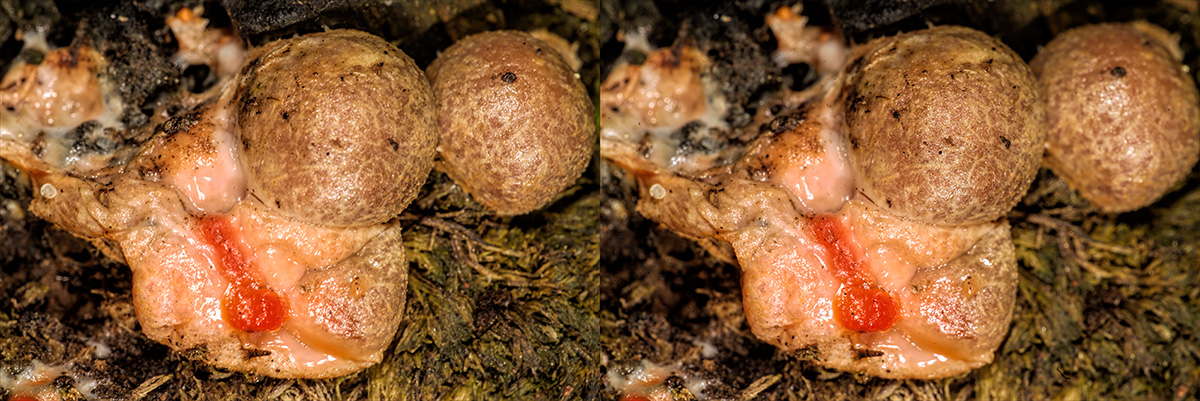
 |
|
| Nach oben |
|
|
e6filmuser
Anmeldungsdatum: 12.11.2010
Beiträge: 1159
Wohnort: Reading UK
|
Verfasst am: So Jun 02, 2024 4:53 am Titel: |
|
Verfasst am: So Jun 02, 2024 4:53 am Titel: |
|
|
e6filmuser wrote:
| Attila hat folgendes geschrieben:: |
Both given filename had apostrophe in filenames.
DSC04393 Wolf's Milk Printing f11 Crosseye 1200.jpg
DSC02763 Maharaja's Well Bronica 40mm f8 Crosseye 1200.jpg
I removed the apostrophe and after all upload worked properly. |
Thanks very much. Such a simple matter but I would never have solved that myself.
_________________
Dedicated to using manual focus lenses with digital. Equiped for photography from macro to panoramic & from ultra-wide to extreme telephoto. Mostly shooting outdoor macro. Experienced entomological taxonomist. Some knowledge of mushrooms. |
|
| Nach oben |
|
|
Attila
Anmeldungsdatum: 24.02.2007
Beiträge: 58002
Expire: 2025-11-18
|
Verfasst am: So Jun 02, 2024 9:55 am Titel: |
|
Verfasst am: So Jun 02, 2024 9:55 am Titel: |
|
|
Attila wrote:
Most welcome, this is a programming issue, many software not handle well apostrophe in name. |
|
| Nach oben |
|
|
D1N0
Anmeldungsdatum: 07.08.2012
Beiträge: 2726
|
Verfasst am: So Jun 02, 2024 11:50 am Titel: |
|
Verfasst am: So Jun 02, 2024 11:50 am Titel: |
|
|
D1N0 wrote:
3MGP0817.JPG no upload
3MGP0865.JPG no problem
_________________
pentaxian |
|
| Nach oben |
|
|
visualopsins
Anmeldungsdatum: 05.03.2009
Beiträge: 11698
Wohnort: California
Expire: 2027-07-11
|
Verfasst am: So Jun 02, 2024 4:43 pm Titel: |
|
Verfasst am: So Jun 02, 2024 4:43 pm Titel: |
|
|
visualopsins wrote:
| Attila hat folgendes geschrieben:: |
| Most welcome, this is a programming issue, many software not handle well apostrophe in name. |
Can use something like
on given input filename. Changes ' to _ Called "munging" https://www.geeksforgeeks.org/what-is-data-munging/
For PHP use
| Code: |
| $output = preg_replace("/".$pattern."/", $replace, $input); |
https://stackoverflow.com/questions/7765067/php-sed-like-functionality
https://www.php.net/manual/en/function.preg-replace.php
_________________
☮☮☮☮☮☮☮☮☮☮☮☮☮☮☮☮☮☮☮☮☮☮☮☮☮☮☮☮☮☮☮☮ like attracts like! ☮☮☮☮☮☮☮☮☮☮☮☮☮☮☮☮☮☮☮☮☮☮☮☮☮☮☮☮☮☮☮☮
Cameras: Sony ILCE-7RM2, Spotmatics II, F, and ESII, Nikon P4
Lenses:
M42 Asahi Optical Co., Takumar 1:4 f=35mm, 1:2 f=58mm (Sonnar), 1:2.4 f=58mm (Heliar), 1:2.2 f=55mm (Gaussian), 1:2.8 f=105mm (Model I), 1:2.8/105 (Model II), 1:5.6/200, Tele-Takumar 1:5.6/200, 1:6.3/300, Macro-Takumar 1:4/50, Auto-Takumar 1:2.3 f=35, 1:1.8 f=55mm, 1:2.2 f=55mm, Super-TAKUMAR 1:3.5/28 (fat), 1:2/35 (Fat), 1:1.4/50 (8-element), Super-Multi-Coated Fisheye-TAKUMAR 1:4/17, Super-Multi-Coated TAKUMAR 1:4.5/20, 1:3.5/24, 1:3.5/28, 1:2/35, 1:3.5/35, 1:1.8/85, 1:1.9/85 1:2.8/105, 1:3.5/135, 1:2.5/135 (II), 1:4/150, 1:4/200, 1:4/300, 1:4.5/500, Super-Multi-Coated Macro-TAKUMAR 1:4/50, 1:4/100, Super-Multi-Coated Bellows-TAKUMAR 1:4/100, SMC TAKUMAR 1:1.4/50, 1:1.8/55
M42 Carl Zeiss Jena Flektogon 2.4/35
Contax Carl Zeiss Vario-Sonnar T* 28-70mm F3.5-4.5
Pentax K-mount SMC PENTAX-A ZOOM 1:3.5 35~105mm, SMC PENTAX ZOOM 1:4 45~125mm
Nikon Micro-NIKKOR-P-C Auto 1:3.5 f=55mm, NIKKOR-P Auto 105mm f/2.5 Pre-AI (Sonnar), Micro-NIKKOR 105mm 1:4 AI, NIKKOR AI-S 35-135mm f/3,5-4,5
Solinon 1:5.6/18 ASPH.
Tamron SP 17mm f/3.5 (51B), Tamron SP 17mm f/3.5 (151B), SP 500mm f/8 (55BB), SP 70-210mm f/3.5 (19AH)
Vivitar 100mm 1:2.8 MC 1:1 Macro Telephoto (Kiron)
|
|
| Nach oben |
|
|
|
|
 Deutsch
 Español
 中文
 Magyar
 Русский
 日本語
 Français