| Vorheriges Thema anzeigen :: Nächstes Thema anzeigen |
| Autor |
Nachricht |
Spotmatic 


Anmeldungsdatum: 18.08.2008
Beiträge: 4045
Wohnort: Netherlands
|
 Verfasst am: Fr Sep 18, 2009 8:41 pm Titel: My first scan: Super Wester S2 |
|
Verfasst am: Fr Sep 18, 2009 8:41 pm Titel: My first scan: Super Wester S2 |
|
|
Spotmatic wrote:
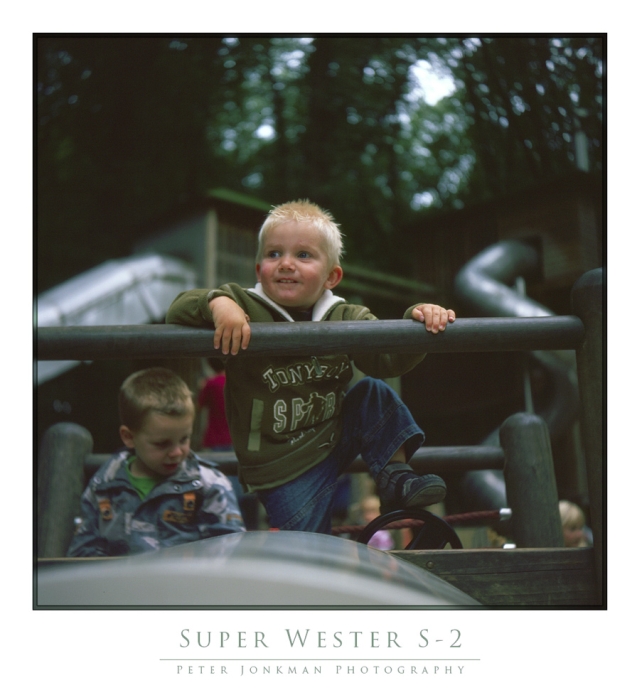
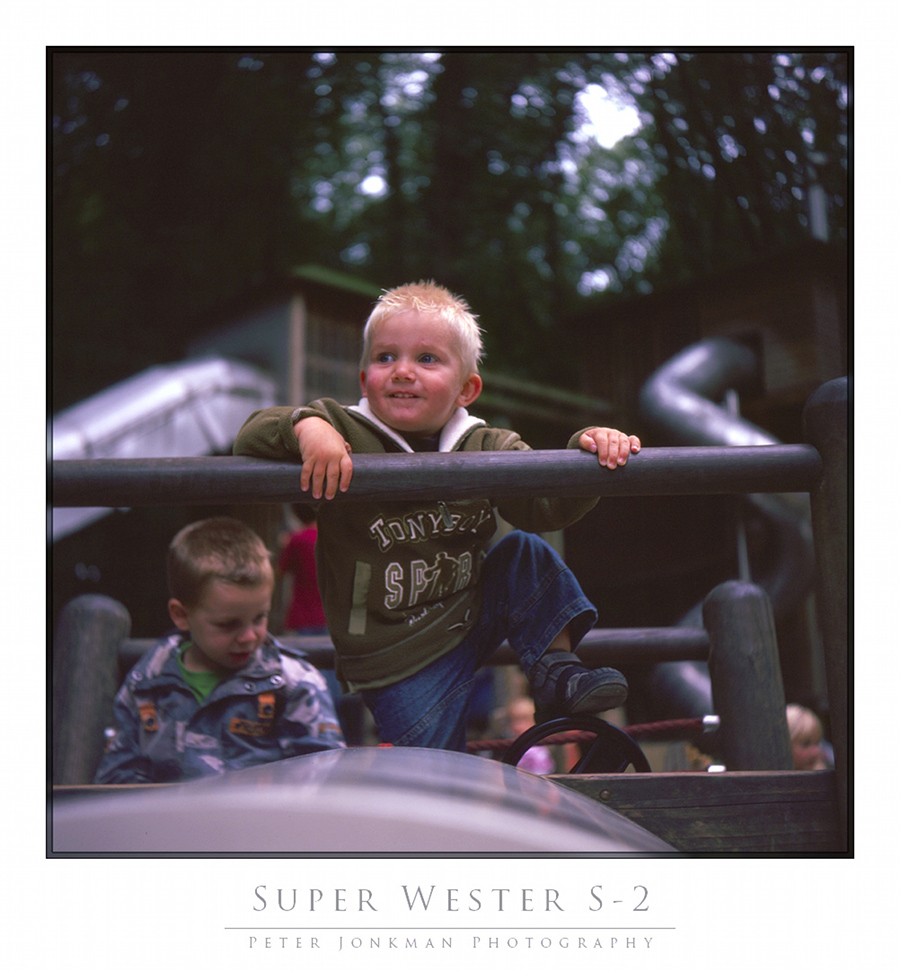
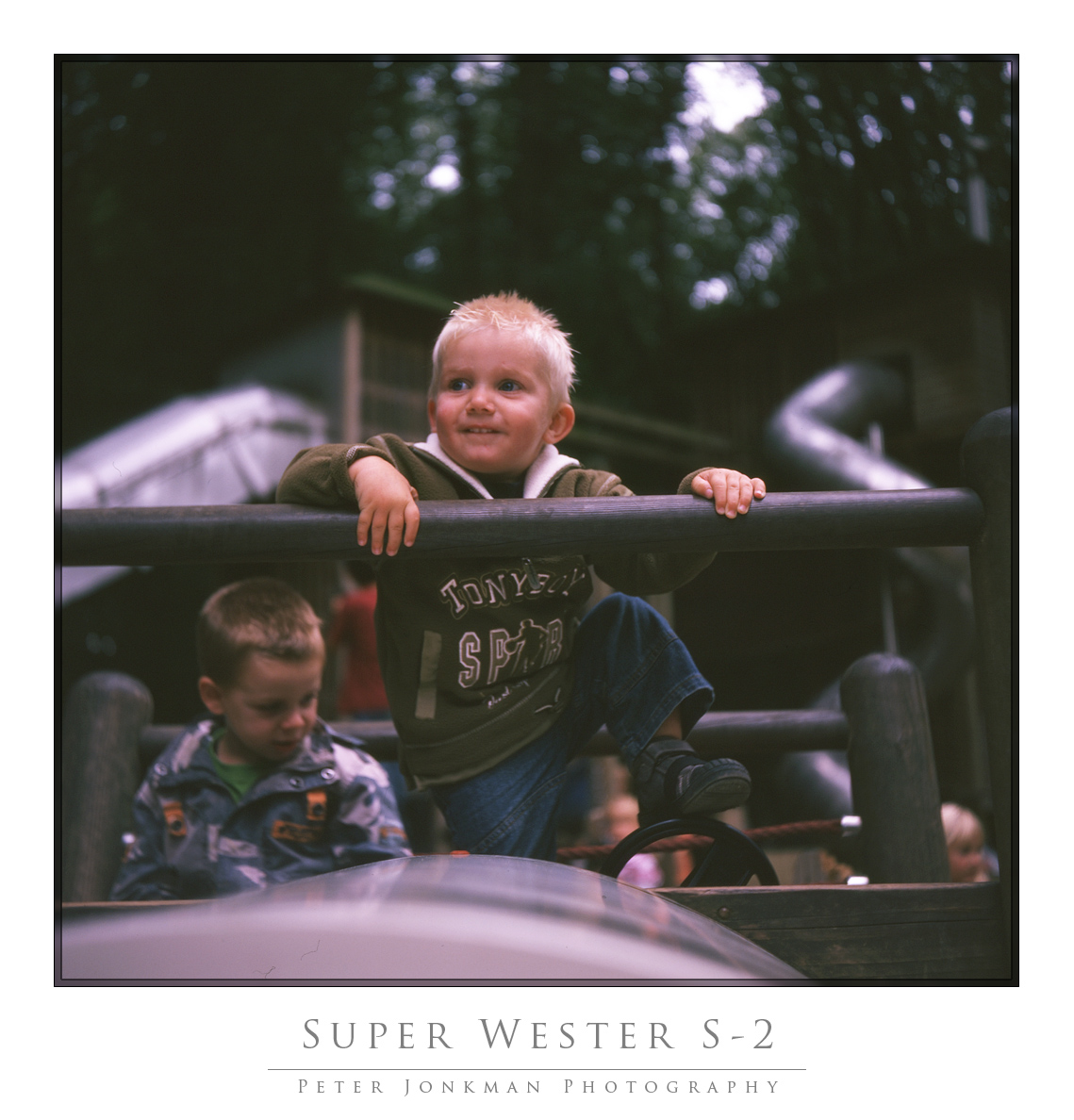
Here's my first scan. I've still a lot to learn so please be kind to me 
This was made on Fuji Provia 100 from 1997 (never stored in the fridge) with a 1956 Super Wester S-2 camera, scanned with the Epson V500, using Vuescan as scan software.
I see that the picture too wide for this category; will correct this later.

_________________
Peter - Moderator
Pentax K-5 + Pentax 645 + Canon 5D + Bessa RF 10,5cm Heliar, and a 'little' bag full of MF lenses. The lens list is * here *.
My fast 80s: Asahi-Kogaku Takumar 83mm f/1.9 - Super-Takumar 85mm f/1.9 - FA 77mm f/1.8 Limited - Cyclop 85/1.5 (Helios-40 innards) - Komura 80mm f/1.8 - Meyer Görlitz Primoplan 7,5cm 1:1.9 - Carl Zeiss Jena 80mm f/1.8 Pancolar - Canon 85mm f/1.8 S.S.C. - Canon 85mm f/1.2 S.S.C. Aspherical
Zuletzt bearbeitet von Spotmatic am Fr Sep 18, 2009 8:49 pm, insgesamt ein Mal bearbeitet |
|
| Nach oben |
|
 |
Attila

Anmeldungsdatum: 24.02.2007
Beiträge: 58002
Expire: 2025-11-18
|
Verfasst am: Fr Sep 18, 2009 8:48 pm Titel: |
|
Verfasst am: Fr Sep 18, 2009 8:48 pm Titel: |
|
|
Attila wrote:
Superb capture nice to see you old slide has new digital life. |
|
| Nach oben |
|
|
Rolf

Anmeldungsdatum: 02.05.2009
Beiträge: 4170
Wohnort: NRW/Germany
Expire: 2015-12-26
|
Verfasst am: Fr Sep 18, 2009 8:54 pm Titel: |
|
Verfasst am: Fr Sep 18, 2009 8:54 pm Titel: |
|
|
Rolf wrote:
Hi Peter,
as I can see you made a decision for the Epson V500 and it seems you did well. Great result for a first try. Congrats.
_________________
Rolf |
|
| Nach oben |
|
|
Spotmatic
Anmeldungsdatum: 18.08.2008
Beiträge: 4045
Wohnort: Netherlands
|
Verfasst am: Fr Sep 18, 2009 10:11 pm Titel: |
|
Verfasst am: Fr Sep 18, 2009 10:11 pm Titel: |
|
|
Spotmatic wrote:
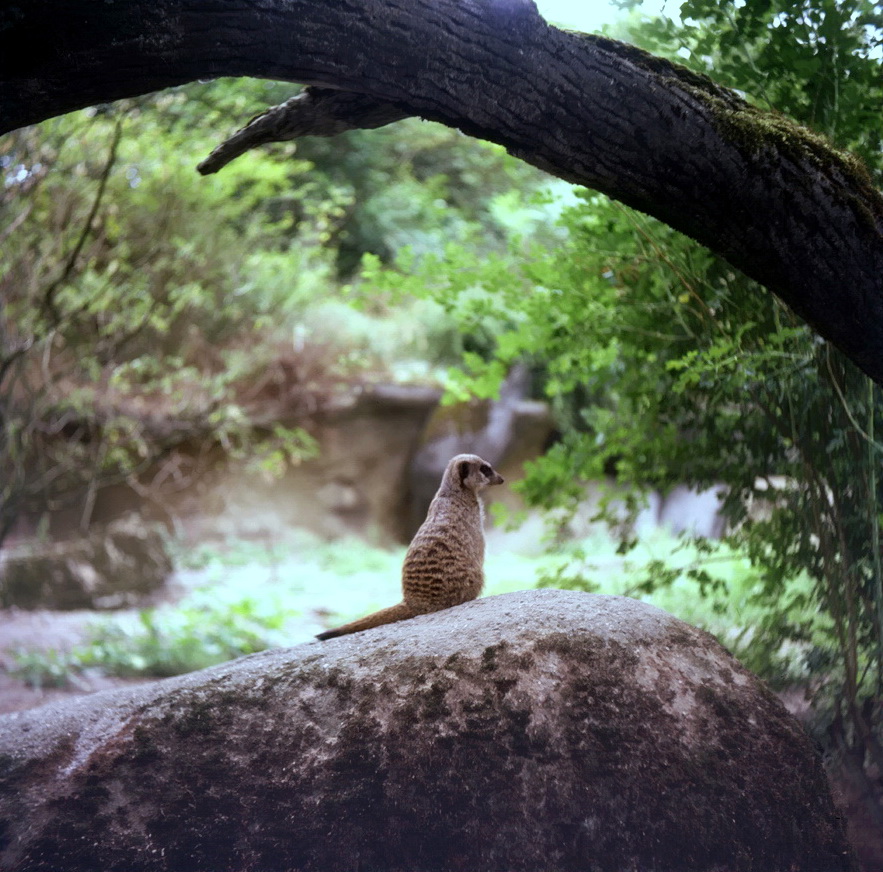
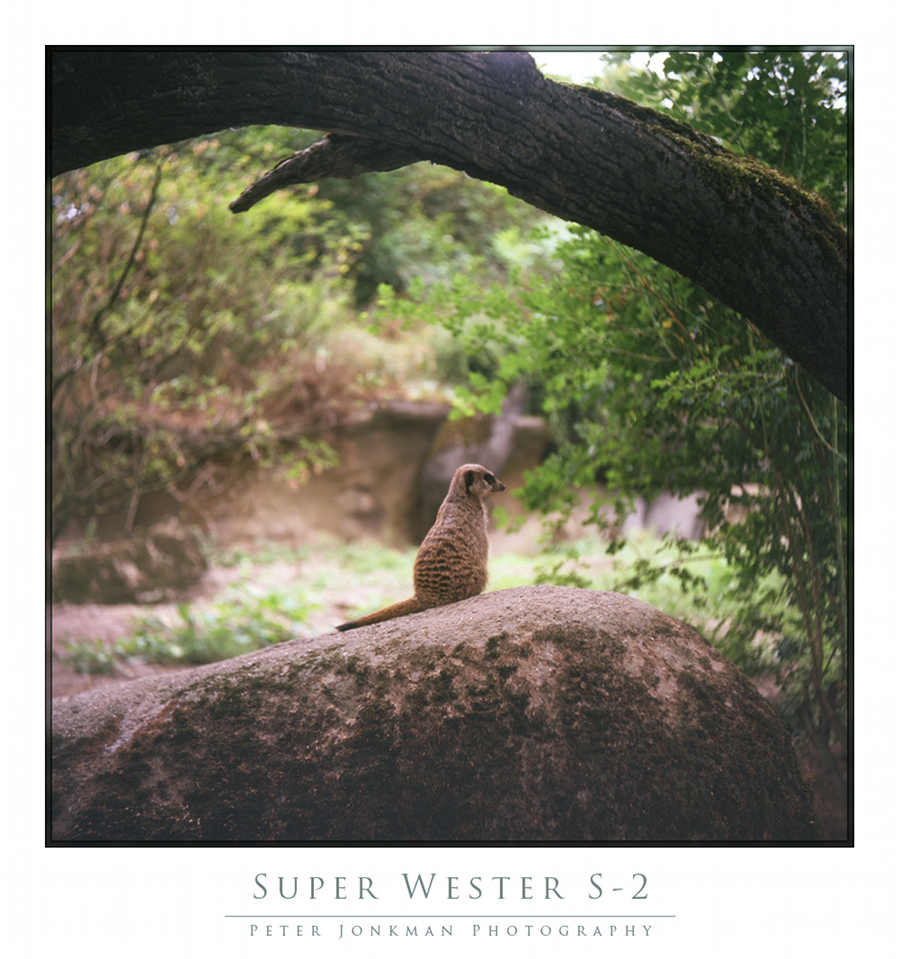
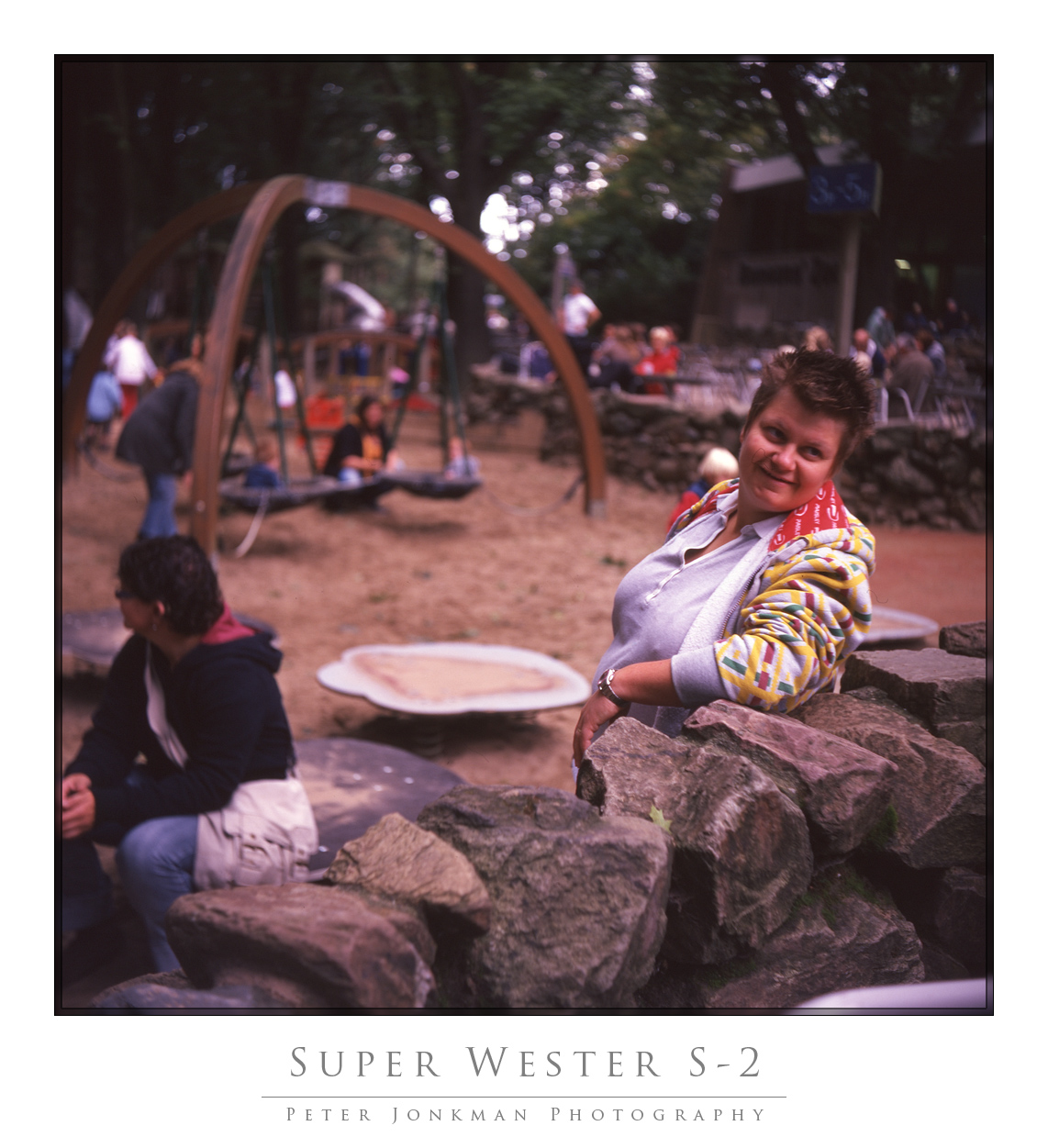
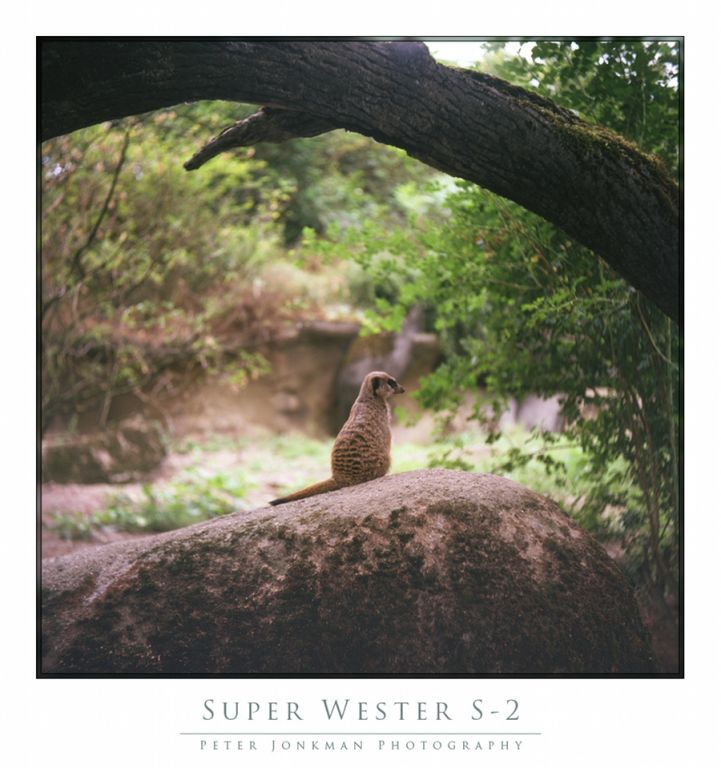
Thanks again! Here's another one with the Wester. Interesting bokeh because it's a triplet.

_________________
Peter - Moderator
Pentax K-5 + Pentax 645 + Canon 5D + Bessa RF 10,5cm Heliar, and a 'little' bag full of MF lenses. The lens list is * here *.
My fast 80s: Asahi-Kogaku Takumar 83mm f/1.9 - Super-Takumar 85mm f/1.9 - FA 77mm f/1.8 Limited - Cyclop 85/1.5 (Helios-40 innards) - Komura 80mm f/1.8 - Meyer Görlitz Primoplan 7,5cm 1:1.9 - Carl Zeiss Jena 80mm f/1.8 Pancolar - Canon 85mm f/1.8 S.S.C. - Canon 85mm f/1.2 S.S.C. Aspherical |
|
| Nach oben |
|
|
Attila
Anmeldungsdatum: 24.02.2007
Beiträge: 58002
Expire: 2025-11-18
|
Verfasst am: Fr Sep 18, 2009 10:24 pm Titel: |
|
Verfasst am: Fr Sep 18, 2009 10:24 pm Titel: |
|
|
Attila wrote:
Too much magenta cast same than my long expired ASTIA, I did try to remove here is result , perhaps bit could, but better what you think ?
 |
|
| Nach oben |
|
|
Spotmatic
Anmeldungsdatum: 18.08.2008
Beiträge: 4045
Wohnort: Netherlands
|
Verfasst am: Fr Sep 18, 2009 10:30 pm Titel: |
|
Verfasst am: Fr Sep 18, 2009 10:30 pm Titel: |
|
|
Spotmatic wrote:
You are right! The film is too old, but I'll experiment a little more.
_________________
Peter - Moderator
Pentax K-5 + Pentax 645 + Canon 5D + Bessa RF 10,5cm Heliar, and a 'little' bag full of MF lenses. The lens list is * here *.
My fast 80s: Asahi-Kogaku Takumar 83mm f/1.9 - Super-Takumar 85mm f/1.9 - FA 77mm f/1.8 Limited - Cyclop 85/1.5 (Helios-40 innards) - Komura 80mm f/1.8 - Meyer Görlitz Primoplan 7,5cm 1:1.9 - Carl Zeiss Jena 80mm f/1.8 Pancolar - Canon 85mm f/1.8 S.S.C. - Canon 85mm f/1.2 S.S.C. Aspherical |
|
| Nach oben |
|
|
Attila
Anmeldungsdatum: 24.02.2007
Beiträge: 58002
Expire: 2025-11-18
|
Verfasst am: Fr Sep 18, 2009 10:38 pm Titel: |
|
Verfasst am: Fr Sep 18, 2009 10:38 pm Titel: |
|
|
Attila wrote:
| Spotmatic hat folgendes geschrieben:: |
| You are right! The film is too old, but I'll experiment a little more. |
Acdsee pro 2.5 has nice color cast removal tool,easy to fix with it any old film problem. |
|
| Nach oben |
|
|
poilu
Anmeldungsdatum: 26.08.2007
Beiträge: 10476
Wohnort: Greece
Expire: 2019-08-29
|
Verfasst am: Sa Sep 19, 2009 5:48 am Titel: |
|
Verfasst am: Sa Sep 19, 2009 5:48 am Titel: |
|
|
poilu wrote:
congrats Spot! welcome to slide, great samples
do you see the magenta cast on the slide or is it a scanner problem |
|
| Nach oben |
|
|
Spotmatic
Anmeldungsdatum: 18.08.2008
Beiträge: 4045
Wohnort: Netherlands
|
Verfasst am: Sa Sep 19, 2009 6:11 am Titel: |
|
Verfasst am: Sa Sep 19, 2009 6:11 am Titel: |
|
|
Spotmatic wrote:
| poilu hat folgendes geschrieben:: |
congrats Spot! welcome to slide, great samples
do you see the magenta cast on the slide or is it a scanner problem |
Thanks and yes, the cast is visible on the slides. The film was simply too old (1997).
_________________
Peter - Moderator
Pentax K-5 + Pentax 645 + Canon 5D + Bessa RF 10,5cm Heliar, and a 'little' bag full of MF lenses. The lens list is * here *.
My fast 80s: Asahi-Kogaku Takumar 83mm f/1.9 - Super-Takumar 85mm f/1.9 - FA 77mm f/1.8 Limited - Cyclop 85/1.5 (Helios-40 innards) - Komura 80mm f/1.8 - Meyer Görlitz Primoplan 7,5cm 1:1.9 - Carl Zeiss Jena 80mm f/1.8 Pancolar - Canon 85mm f/1.8 S.S.C. - Canon 85mm f/1.2 S.S.C. Aspherical |
|
| Nach oben |
|
|
peterqd

Anmeldungsdatum: 28.02.2007
Beiträge: 7449
Wohnort: near High Wycombe, UK
Expire: 2014-01-04
|
Verfasst am: Sa Sep 19, 2009 8:44 am Titel: |
|
Verfasst am: Sa Sep 19, 2009 8:44 am Titel: |
|
|
peterqd wrote:
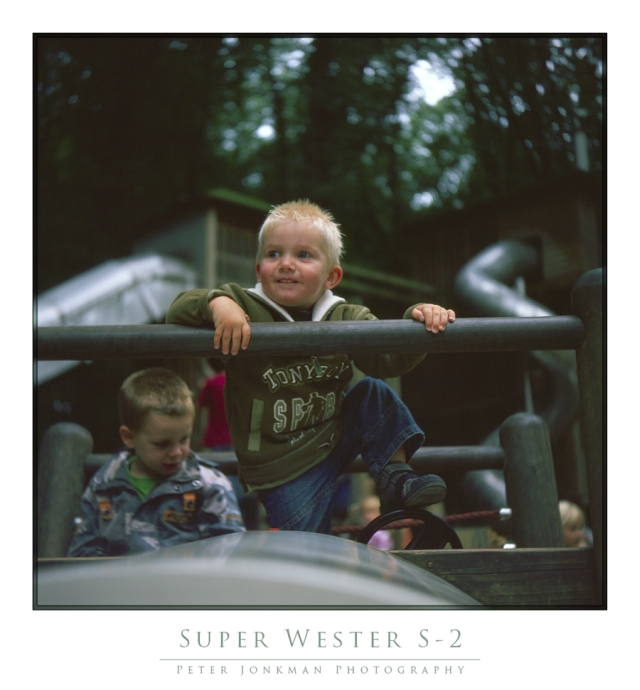
Peter, I got exactly the same magenta cast with a still-current roll of Provia 100F. I wouldn't necessarily put it down to ageing, although you can't be unhappy with these results from a 12y.o. film! 
I don't think it's necessary to buy extra software for correcting colour casts. I use the white and grey colour droppers in Curves in CS3. Here's what I did with your first pic, excuse the liberty:
_________________
Peter - Moderator |
|
| Nach oben |
|
|
marty

Anmeldungsdatum: 09.04.2009
Beiträge: 767
Wohnort: Italy
|
Verfasst am: Sa Sep 19, 2009 9:35 am Titel: |
|
Verfasst am: Sa Sep 19, 2009 9:35 am Titel: |
|
|
marty wrote:
They look good, nice captures. As previous posts pointed out there is just a color cast that needs to be corrected. If you don't mind I'll post my version too.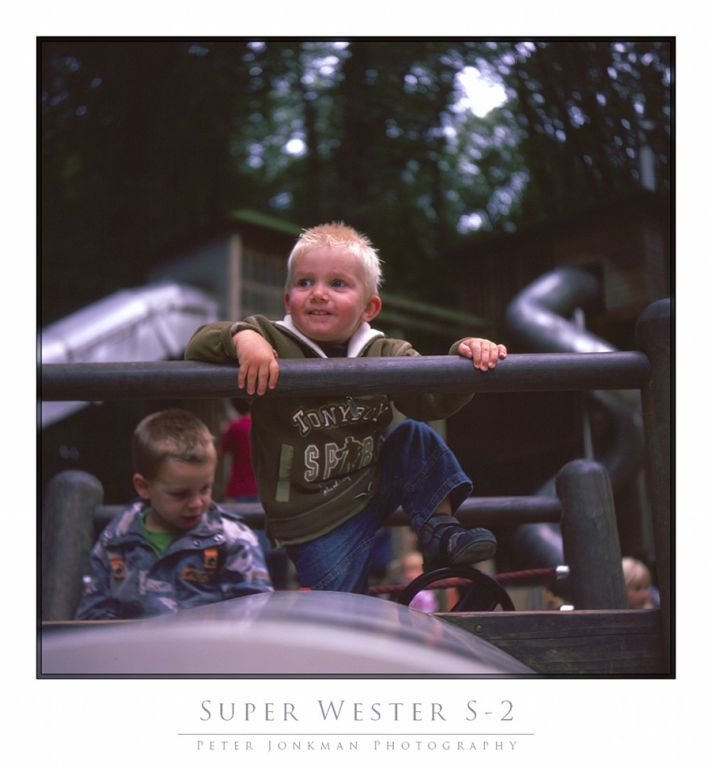
Cheers.
_________________
Canon FD
Bodies: AT-1, A-1, T-90
Lenses: nFD 20mm f2.8, 24 f2.8, 28 f2.8, 35 f2, FD 50 f1.8 S.C., 85 f1.8, 100 f2.8, 135 f2.8, 200 f4, 300 f4
|
|
| Nach oben |
|
|
Nesster

Anmeldungsdatum: 24.04.2008
Beiträge: 5883
Wohnort: NJ, USA
Expire: 2014-02-20
|
Verfasst am: Sa Sep 19, 2009 10:44 am Titel: |
|
Verfasst am: Sa Sep 19, 2009 10:44 am Titel: |
|
|
Nesster wrote:
The Super Wester's pretty super - and you got good scans right out of the box. Congratulations!
_________________
-Jussi
Camera photos
Print Photographica
|
|
| Nach oben |
|
|
koji
Anmeldungsdatum: 21.07.2008
Beiträge: 2108
Wohnort: Hiroshima, Japan
Expire: 2012-12-27
|
Verfasst am: Sa Sep 19, 2009 12:32 pm Titel: |
|
Verfasst am: Sa Sep 19, 2009 12:32 pm Titel: |
|
|
koji wrote:
Peter, those colour cast are normally repairable by some SW.
I use PSE (cheaper version of CS2/3), which is good enough for me.
If you do not have one, I recommend to get one around US$100 for Mac.
Of course CS2/3 can do more, but you do not need such a monster. 
Actually the first photo looks okay to me even it has magenta cast.
Sorry for an unfocused post.
_________________
Our Home Page has 18,200 photos in 575 directories today.
Lenses: https://www.pbase.com/kkawakami/top_level_my_lenses |
|
| Nach oben |
|
|
Laurence

Anmeldungsdatum: 26.03.2007
Beiträge: 4809
Wohnort: Western Washington State
Expire: 2016-06-19
|
Verfasst am: Sa Sep 19, 2009 10:22 pm Titel: |
|
Verfasst am: Sa Sep 19, 2009 10:22 pm Titel: |
|
|
Laurence wrote:
The V500 shows it's true abilities here! WOW! CLEAN scan Peter.
The magenta cast is no big deal, I get it too from many of the films including Provia, K64, Velvia. Easy to correct.
The scanned colors are overall rich and beautiful. And the images themselves show beautiful composition and
exposure. I'm impressed with the old camera and lens.
_________________
Assent, and you are sane;
Demur,—you ’re straightway dangerous,
And handled with a chain.
Emily Dickinson
Cameras and Lenses in Use:
Yashica Mat 124 w/ Yashinon 80/3.5,
CV Apo-Lanthar 90/3.5SL, (Thank you Klaus),
Pentax 645,
Flek 50,
Pentax-A 150
Pentax-A 120 Macro
Voigtlander Vitomatic I w/Color Skopar 50/2.8
Konica TC and zoom lenses (thanks Carsten)
Contax AX
Yashica ML 50/2
Yashica ML 35/2.8
Carl Zeiss Contax 50/1.4
Tamron Adaptall SP 17/3.5
Tamron Adaptall 28/2.5
Tamron Adaptall SP 300/2.8 LD (IF)
|
|
| Nach oben |
|
|
Katastrofo
Anmeldungsdatum: 26.02.2007
Beiträge: 10405
Wohnort: USA
Expire: 2013-11-19
|
Verfasst am: Sa Sep 19, 2009 10:41 pm Titel: |
|
Verfasst am: Sa Sep 19, 2009 10:41 pm Titel: |
|
|
Katastrofo wrote:
Agree with Koji, I use PSE and Bibble for my film files. Most all the time
just hitting with curves corrects, but there's an auto color correction that
finishes it off, if need be.
You've got to be happy with these results, Peter! |
|
| Nach oben |
|
|
Spotmatic
Anmeldungsdatum: 18.08.2008
Beiträge: 4045
Wohnort: Netherlands
|
Verfasst am: So Sep 20, 2009 9:18 pm Titel: |
|
Verfasst am: So Sep 20, 2009 9:18 pm Titel: |
|
|
Spotmatic wrote:
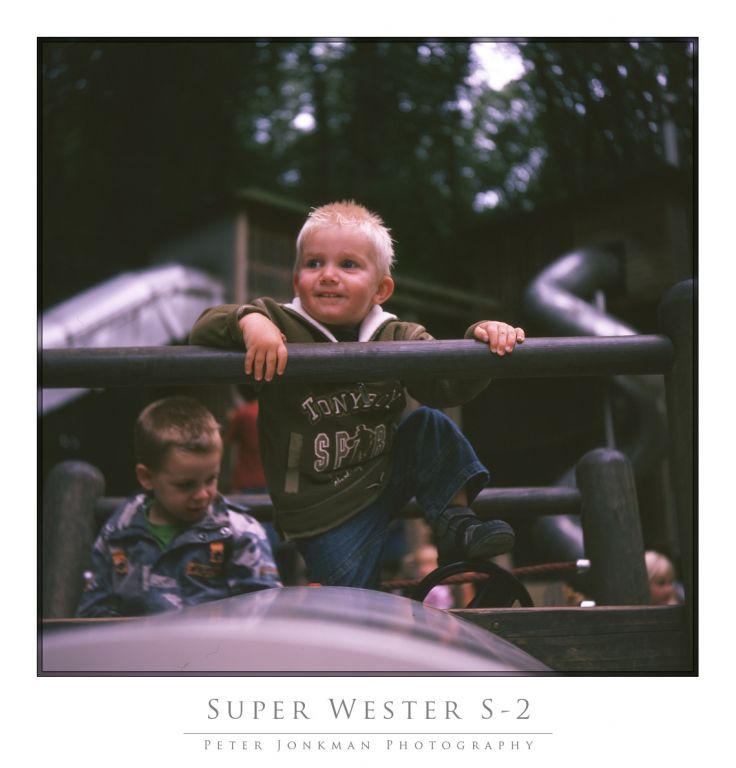
I scanned the picture of my son again; this time I placed the film directly on the glass. The result is considerably less soft now. Still trying to correct the color though
_________________
Peter - Moderator
Pentax K-5 + Pentax 645 + Canon 5D + Bessa RF 10,5cm Heliar, and a 'little' bag full of MF lenses. The lens list is * here *.
My fast 80s: Asahi-Kogaku Takumar 83mm f/1.9 - Super-Takumar 85mm f/1.9 - FA 77mm f/1.8 Limited - Cyclop 85/1.5 (Helios-40 innards) - Komura 80mm f/1.8 - Meyer Görlitz Primoplan 7,5cm 1:1.9 - Carl Zeiss Jena 80mm f/1.8 Pancolar - Canon 85mm f/1.8 S.S.C. - Canon 85mm f/1.2 S.S.C. Aspherical |
|
| Nach oben |
|
|
Attila
Anmeldungsdatum: 24.02.2007
Beiträge: 58002
Expire: 2025-11-18
|
Verfasst am: So Sep 20, 2009 9:23 pm Titel: |
|
Verfasst am: So Sep 20, 2009 9:23 pm Titel: |
|
|
Attila wrote:
Is this film was curl ? Did you get as cut pieces from lab ? |
|
| Nach oben |
|
|
Spotmatic
Anmeldungsdatum: 18.08.2008
Beiträge: 4045
Wohnort: Netherlands
|
Verfasst am: So Sep 20, 2009 9:33 pm Titel: |
|
Verfasst am: So Sep 20, 2009 9:33 pm Titel: |
|
|
Spotmatic wrote:
| Attila hat folgendes geschrieben:: |
| Is this film was curl ? Did you get as cut pieces from lab ? |
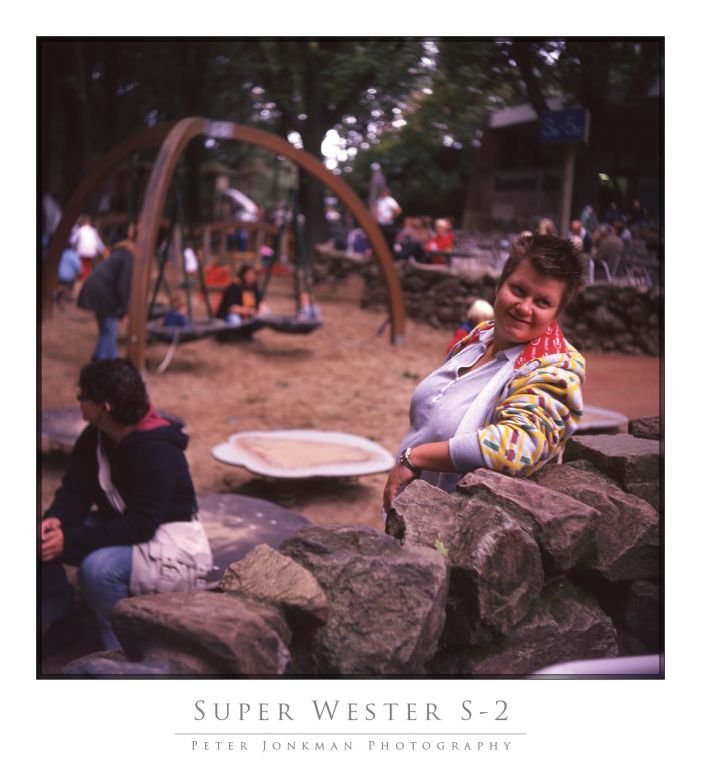
Yes, but the film holders keep the film a mm or so above the glass, causing the image to be less sharp. So I put the film BELOW the film holders, and it looks better! However, dust is becoming a problem
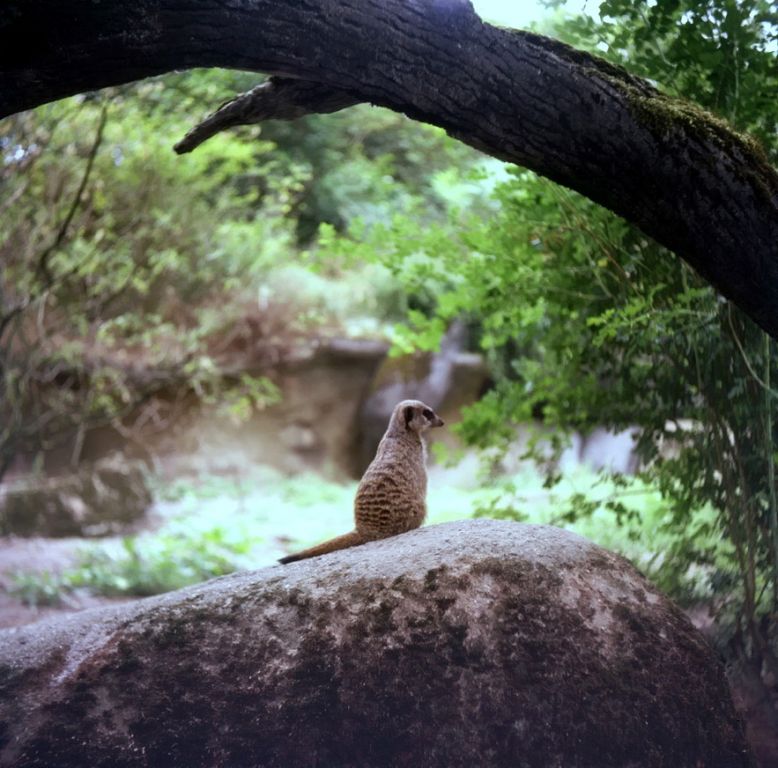
Here's another try, again with the Wester. A bit of camera shake and dust...
_________________
Peter - Moderator
Pentax K-5 + Pentax 645 + Canon 5D + Bessa RF 10,5cm Heliar, and a 'little' bag full of MF lenses. The lens list is * here *.
My fast 80s: Asahi-Kogaku Takumar 83mm f/1.9 - Super-Takumar 85mm f/1.9 - FA 77mm f/1.8 Limited - Cyclop 85/1.5 (Helios-40 innards) - Komura 80mm f/1.8 - Meyer Görlitz Primoplan 7,5cm 1:1.9 - Carl Zeiss Jena 80mm f/1.8 Pancolar - Canon 85mm f/1.8 S.S.C. - Canon 85mm f/1.2 S.S.C. Aspherical |
|
| Nach oben |
|
|
Laurence
Anmeldungsdatum: 26.03.2007
Beiträge: 4809
Wohnort: Western Washington State
Expire: 2016-06-19
|
Verfasst am: Mo Sep 21, 2009 12:20 am Titel: |
|
Verfasst am: Mo Sep 21, 2009 12:20 am Titel: |
|
|
Laurence wrote:
I also put the film under the holders, as it is most sharp for me as well. Too bad that Epson could not have better quality control for the focusing range of the scanner.
_________________
Assent, and you are sane;
Demur,—you ’re straightway dangerous,
And handled with a chain.
Emily Dickinson
Cameras and Lenses in Use:
Yashica Mat 124 w/ Yashinon 80/3.5,
CV Apo-Lanthar 90/3.5SL, (Thank you Klaus),
Pentax 645,
Flek 50,
Pentax-A 150
Pentax-A 120 Macro
Voigtlander Vitomatic I w/Color Skopar 50/2.8
Konica TC and zoom lenses (thanks Carsten)
Contax AX
Yashica ML 50/2
Yashica ML 35/2.8
Carl Zeiss Contax 50/1.4
Tamron Adaptall SP 17/3.5
Tamron Adaptall 28/2.5
Tamron Adaptall SP 300/2.8 LD (IF)
|
|
| Nach oben |
|
|
Farside

Anmeldungsdatum: 01.09.2007
Beiträge: 6579
Wohnort: Ireland
Expire: 2013-12-27
|
Verfasst am: So Okt 04, 2009 6:27 am Titel: |
|
Verfasst am: So Okt 04, 2009 6:27 am Titel: |
|
|
Farside wrote:
The famous Epson focus issue rears its head again. Both mine have needed some correction, simply a thickness of tape under the feet of the holder. I've seriously thought about a holder from betterscanning.com, but have held off on that since I'm planning to acquire another Epson for LF.
_________________
Dave - Moderator
Camera Fiend and Biograph Operator
If I wanted soot and whitewash I'd be a chimney sweep and house painter.
The Lenses of Farside (click)
BUY FRESH FOMAPAN TO HELP KEEP THE FACTORY ALIVE ---
Foma Campaign topic -
http://forum.mflenses.com/foma-campaign-t55443.html
FOMAPAN on forum -
http://www.mflenses.com/fs.php?sw=Fomapan
Webshop Norway
http://www.fomafoto.com/
Webshop Czech
https://fomaobchod.cz/inshop/scripts/shop.aspx?action=DoChangeLanguage&LangID=4 |
|
| Nach oben |
|
|
|
|
|
Du kannst keine Beiträge in dieses Forum schreiben.
Du kannst auf Beiträge in diesem Forum nicht antworten.
Du kannst deine Beiträge in diesem Forum nicht bearbeiten.
Du kannst deine Beiträge in diesem Forum nicht löschen.
Du kannst an Umfragen in diesem Forum nicht mitmachen.
|
 Deutsch
 Español
 中文
 Magyar
 Русский
 日本語
 Français