| Vorheriges Thema anzeigen :: Nächstes Thema anzeigen |
| Autor |
Nachricht |
TrueLoveOne 


Anmeldungsdatum: 30.09.2012
Beiträge: 1839
Wohnort: Netherlands
Expire: 2013-12-24
|
 Verfasst am: Mi Feb 24, 2016 5:59 pm Titel: Tokina AT-X SD 2.8/80-200 (hazy element) |
|
Verfasst am: Mi Feb 24, 2016 5:59 pm Titel: Tokina AT-X SD 2.8/80-200 (hazy element) |
|
|
TrueLoveOne wrote:
This one got mentioned in another topic about the AT-X 100-300. I never really used mine except for a few shots on film, mainly because i knew it had some mild haze inside.
Apparently this can not be cleaned, so taking it to pieces is not going to happen! Instead i decided to use it on digital for the first time and took a walk with it on the A7.
The haze is not visible in the pictures, even wide open it produces nice pictures, although with a little less contrast and some CA, but that is not a problem in LR.
I'm glad i took it out, i like the results and i think this thread can be seen as the proof that the haze of the SD element does not mean that the lens is a write off!
First picture is straight out of camera, no PP at all, it's a converted RAW shot from LR. Second is a crop of the same shot and third is the same picture with some PP. Number 4 is also shot wide open, f/2.8.
Stopped down it's really a nice lens, plenty sharp with nice colors!
Thanks for looking, cheers, René!
1.

2.

3.
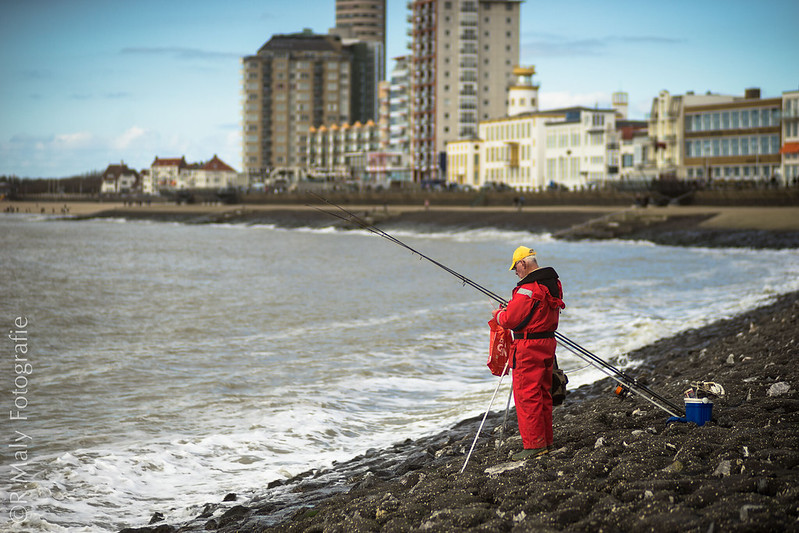 Fishing in Flushing by René Maly, on Flickr
4. wide open
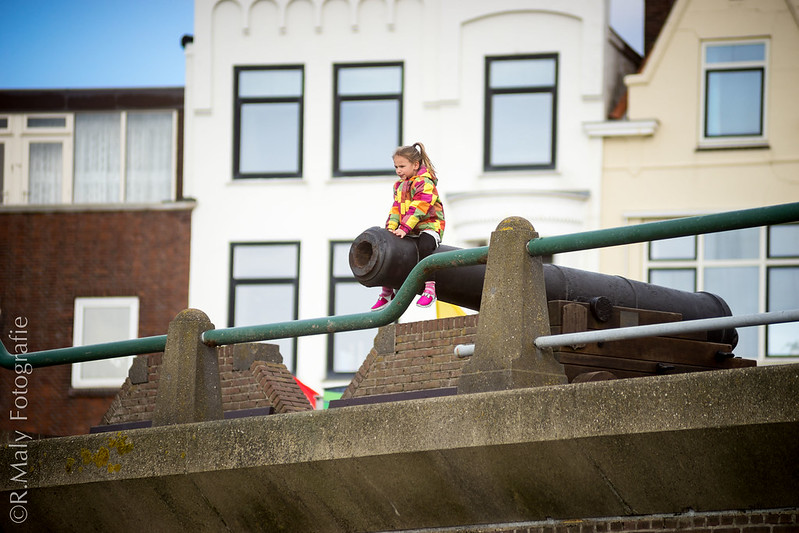 On the gun by René Maly, on Flickr
5.
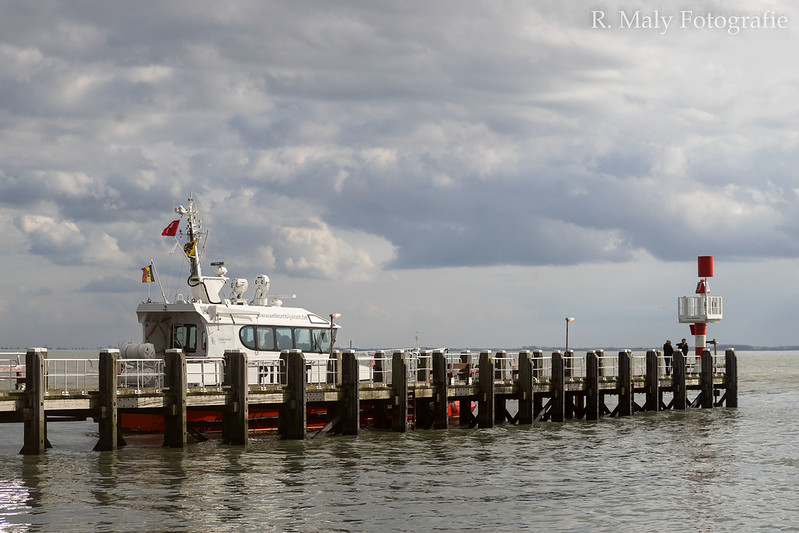 Pilot by René Maly, on Flickr
6.
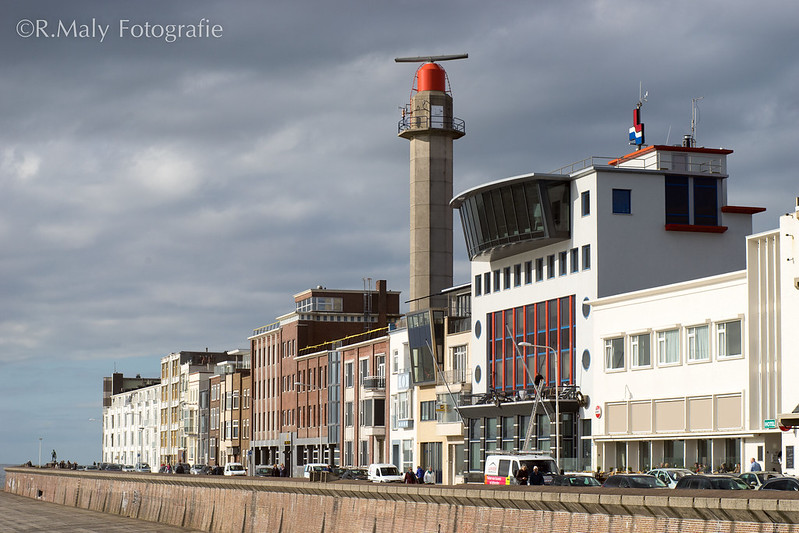 Blvd. De Ruyter by René Maly, on Flickr
7.
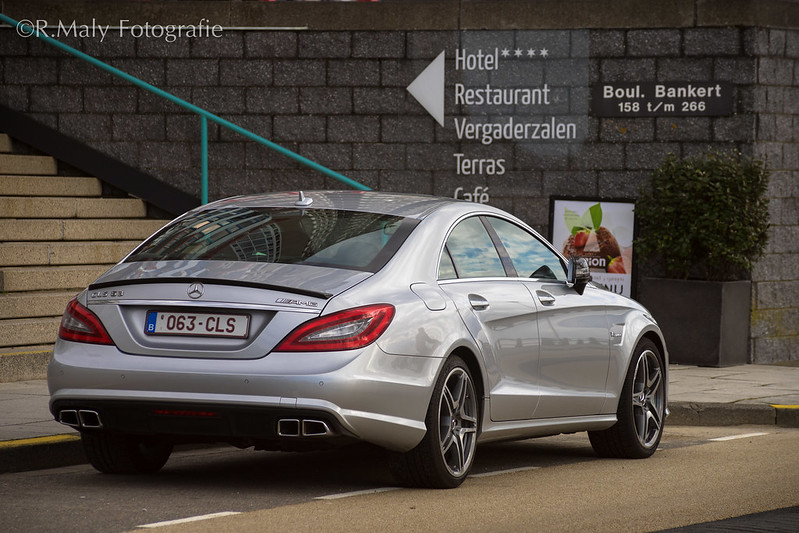 CLS AMG by René Maly, on Flickr
_________________
My Flickr photostream: http://www.flickr.com/photos/chantalrene/
Sony A7, Canon 5D mkII, Minolta 7D + RD3000 and some more.....
Minolta and Konica collector.... slowly selling all the other stuff! |
|
| Nach oben |
|
 |
Lloydy


Anmeldungsdatum: 02.09.2009
Beiträge: 7880
Wohnort: Ironbridge. UK.
Expire: 2022-01-01
|
Verfasst am: Mi Feb 24, 2016 9:42 pm Titel: |
|
Verfasst am: Mi Feb 24, 2016 9:42 pm Titel: |
|
|
Lloydy wrote:
My copy of this great lens is also very hazy, just on the one element - apparently the SD element is the one affected and it's not possible to clean the haze. Which is a shame as this is truly an excellent lens, but all is not lost.
The result of the haze seems to be a loss of contrast and nothing more, my copy is still very sharp, and any effect on the aperture speed would surely be marginal ? I still use mine in low light and enjoy the benefits of the fast f2.8 aperture - if that's what it is now.
The loss of contrast is easily corrected in any simple post processing, the picture of the pigs was done in Photoshop with the 'Auto Contrast' setting and the stage picture was corrected in Faststone by using the 'Auto Colour' setting. Other than resizing, no other processing.


This lens was dirt cheap, it's in excellent condition other than the haze and it cost me £5 from some dealers box of junk at the local camera fair. It was worth a lot more, and I use it a lot.
_________________
LENSES & CAMERAS FOR SALE.....
I have loads of stuff that I have to get rid of, if you see me commenting about something I have got and you want one, ask me.
My Flickr https://www.flickr.com/photos/mudplugga/
My ipernity -
http://www.ipernity.com/home/294337 |
|
| Nach oben |
|
|
cooltouch

Anmeldungsdatum: 15.01.2009
Beiträge: 9096
Wohnort: Houston, Texas
|
Verfasst am: Do Feb 25, 2016 2:42 am Titel: |
|
Verfasst am: Do Feb 25, 2016 2:42 am Titel: |
|
|
cooltouch wrote:
Good job on getting rid of the haze, Lloyd. I just use the "curves" function in PhotoShop. That's almost always sufficient in restoring a realistic looking contrast in my photos that are lacking it.
I need to test my AT-X 100-300 for it. It isn't visible just looking through the lens. so I guess I need to try it with a subject that is supposed to create this halo effect. I have an AT-X 150-500 on order -- should arrive within the next day or two -- and I'll need to test it for this same condition as well.
_________________
Michael
My Gear List: http://michaelmcbroom.com/photo/gear.html
My Gallery: http://michaelmcbroom.com/gallery3/index.php/
My Flickr Page: https://www.flickr.com/photos/11308754@N08/albums
My Music: https://soundcloud.com/michaelmcbroom/albums
My Blog: http://michaelmcbroom.com/blogistan/ |
|
| Nach oben |
|
|
WNG555

Anmeldungsdatum: 18.12.2014
Beiträge: 784
Wohnort: Arrid-Zone-A, USA
|
Verfasst am: Do Feb 25, 2016 5:10 am Titel: |
|
Verfasst am: Do Feb 25, 2016 5:10 am Titel: |
|
|
WNG555 wrote:
My copy of this zoom lens came full of fungus. And I was able to access and clean off the stuff from all the affected elements.
I will assume that the haze isn't removable due to permanent coating defect, and not due to access. This model is quite straight forward to disassemble.
Oddly, I've come across quite a number of vintage Tokinas suffering from haze. Even when the element has no exposure to air, the coating deteriorated.
I'll have to pull out my 80-200 f2.8 and take a look at it. I don't use my big zooms much.
_________________
"The eyes are useless when the mind is blind."
Sony ILCE-6000, SELP1650, SEL1855, SEL55210, SEL5018. Sigma 19/30/60mm f2.8 EX DN Art.
Rokinon 8mm f3.5 Fish-Eye, 14mm f2.8 IF ED UMC. Samyang 12mm f2.8 ED AS NCS Fish-Eye.
And a bunch of Manual-Focus Lenses
My Flickr |
|
| Nach oben |
|
|
gLOW-x

Anmeldungsdatum: 21.01.2016
Beiträge: 39
|
Verfasst am: Do Feb 25, 2016 7:28 am Titel: |
|
Verfasst am: Do Feb 25, 2016 7:28 am Titel: |
|
|
gLOW-x wrote:
thanks for showing real world impact from SD element haze 
Contrast lost, almost like SC vs MC coating. |
|
| Nach oben |
|
|
TrueLoveOne
Anmeldungsdatum: 30.09.2012
Beiträge: 1839
Wohnort: Netherlands
Expire: 2013-12-24
|
Verfasst am: Do Feb 25, 2016 7:50 am Titel: |
|
Verfasst am: Do Feb 25, 2016 7:50 am Titel: |
|
|
TrueLoveOne wrote:
| Lloydy hat folgendes geschrieben:: |
My copy of this great lens is also very hazy, just on the one element - apparently the SD element is the one affected and it's not possible to clean the haze. Which is a shame as this is truly an excellent lens, but all is not lost.
|
Indeed, all is not lost, which you show quite well, even though yours seems to be worse than mine, it really is a nice lens!!
Cheers, René!
_________________
My Flickr photostream: http://www.flickr.com/photos/chantalrene/
Sony A7, Canon 5D mkII, Minolta 7D + RD3000 and some more.....
Minolta and Konica collector.... slowly selling all the other stuff! |
|
| Nach oben |
|
|
cooltouch
Anmeldungsdatum: 15.01.2009
Beiträge: 9096
Wohnort: Houston, Texas
|
Verfasst am: Do Feb 25, 2016 11:54 am Titel: |
|
Verfasst am: Do Feb 25, 2016 11:54 am Titel: |
|
|
cooltouch wrote:
| WNG555 hat folgendes geschrieben:: |
My copy of this zoom lens came full of fungus. And I was able to access and clean off the stuff from all the affected elements.
I will assume that the haze isn't removable due to permanent coating defect, and not due to access. This model is quite straight forward to disassemble.
Oddly, I've come across quite a number of vintage Tokinas suffering from haze. Even when the element has no exposure to air, the coating deteriorated.
I'll have to pull out my 80-200 f2.8 and take a look at it. I don't use my big zooms much. |
Yes, please let us know what you find, and how it performs.
_________________
Michael
My Gear List: http://michaelmcbroom.com/photo/gear.html
My Gallery: http://michaelmcbroom.com/gallery3/index.php/
My Flickr Page: https://www.flickr.com/photos/11308754@N08/albums
My Music: https://soundcloud.com/michaelmcbroom/albums
My Blog: http://michaelmcbroom.com/blogistan/ |
|
| Nach oben |
|
|
Lloydy
Anmeldungsdatum: 02.09.2009
Beiträge: 7880
Wohnort: Ironbridge. UK.
Expire: 2022-01-01
|
Verfasst am: Do Feb 25, 2016 2:52 pm Titel: |
|
Verfasst am: Do Feb 25, 2016 2:52 pm Titel: |
|
|
Lloydy wrote:
The haze is quite severe in my lens, just on one element I think. I haven't dismantled it that far yet. To see it you need strong light shining through, such as a LED torch, it is visible in normal light but only just. Which might explain the loss of contrast when the lens is used in bright light as both my pictures are. Lower light pictures are hardly affected, both of these are from the same day, same ISO etc but taken in the shade. No processing at all.


I tried the Auto Colour setting in Faststone and it lightened the fungus picture a lot, and turned the green background to bright blue in the flower picture. Neither picture benefits from an increase in contrast, in fact it makes both worse.
_________________
LENSES & CAMERAS FOR SALE.....
I have loads of stuff that I have to get rid of, if you see me commenting about something I have got and you want one, ask me.
My Flickr https://www.flickr.com/photos/mudplugga/
My ipernity -
http://www.ipernity.com/home/294337 |
|
| Nach oben |
|
|
WNG555
Anmeldungsdatum: 18.12.2014
Beiträge: 784
Wohnort: Arrid-Zone-A, USA
|
Verfasst am: Sa Feb 27, 2016 9:12 am Titel: |
|
Verfasst am: Sa Feb 27, 2016 9:12 am Titel: |
|
|
WNG555 wrote:
| cooltouch hat folgendes geschrieben:: |
| WNG555 hat folgendes geschrieben:: |
My copy of this zoom lens came full of fungus. And I was able to access and clean off the stuff from all the affected elements.
I will assume that the haze isn't removable due to permanent coating defect, and not due to access. This model is quite straight forward to disassemble.
Oddly, I've come across quite a number of vintage Tokinas suffering from haze. Even when the element has no exposure to air, the coating deteriorated.
I'll have to pull out my 80-200 f2.8 and take a look at it. I don't use my big zooms much. |
Yes, please let us know what you find, and how it performs. |
I managed to dig out my two AT-X zooms, and inspected them with a CREE LED.
The 80-200mm passed with no sign of haze.
The 100-300mm looked clean and clear when I took it out. But the LED revealed haze developed on some inner element. Like shining a light through fine mist.
Not the front objective SD element.
#$#@!%$!$%
It probably won't affect imaging severely. But will see if I can shoot some subjects over the weekend.
_________________
"The eyes are useless when the mind is blind."
Sony ILCE-6000, SELP1650, SEL1855, SEL55210, SEL5018. Sigma 19/30/60mm f2.8 EX DN Art.
Rokinon 8mm f3.5 Fish-Eye, 14mm f2.8 IF ED UMC. Samyang 12mm f2.8 ED AS NCS Fish-Eye.
And a bunch of Manual-Focus Lenses
My Flickr |
|
| Nach oben |
|
|
TrueLoveOne
Anmeldungsdatum: 30.09.2012
Beiträge: 1839
Wohnort: Netherlands
Expire: 2013-12-24
|
Verfasst am: Sa Feb 27, 2016 11:31 am Titel: |
|
Verfasst am: Sa Feb 27, 2016 11:31 am Titel: |
|
|
TrueLoveOne wrote:
| WNG555 hat folgendes geschrieben:: |
But the LED revealed haze developed on some inner element. Like shining a light through fine mist.
|
That is how i would describe the haze in my copy. As you can see above, it's no big deal, just enjoy your lens!
_________________
My Flickr photostream: http://www.flickr.com/photos/chantalrene/
Sony A7, Canon 5D mkII, Minolta 7D + RD3000 and some more.....
Minolta and Konica collector.... slowly selling all the other stuff! |
|
| Nach oben |
|
|
Lloydy
Anmeldungsdatum: 02.09.2009
Beiträge: 7880
Wohnort: Ironbridge. UK.
Expire: 2022-01-01
|
Verfasst am: Sa Feb 27, 2016 1:26 pm Titel: |
|
Verfasst am: Sa Feb 27, 2016 1:26 pm Titel: |
|
|
Lloydy wrote:
Yes, it shows up with strong light such as LED torch but is barely visible without. Mine is not even across the affected element either.
_________________
LENSES & CAMERAS FOR SALE.....
I have loads of stuff that I have to get rid of, if you see me commenting about something I have got and you want one, ask me.
My Flickr https://www.flickr.com/photos/mudplugga/
My ipernity -
http://www.ipernity.com/home/294337 |
|
| Nach oben |
|
|
stevemark
Anmeldungsdatum: 29.04.2011
Beiträge: 5511
Wohnort: Switzerland
|
Verfasst am: So März 06, 2016 1:07 am Titel: |
|
Verfasst am: So März 06, 2016 1:07 am Titel: |
|
|
stevemark wrote:
| WNG555 hat folgendes geschrieben:: |
My copy of this zoom lens came full of fungus. And I was able to access and clean off the stuff from all the affected elements.
... |
Could you elaborate a bit about HOW you cleaned the Tokina 2.8/80-200mm? I recently bought a AT-X 2.8/80-200mm with fungus in the front section, and i'd love to clean it!
Thanks in advance!
Stephan
_________________
www.artaphot.ch |
|
| Nach oben |
|
|
WNG555
Anmeldungsdatum: 18.12.2014
Beiträge: 784
Wohnort: Arrid-Zone-A, USA
|
Verfasst am: So März 06, 2016 2:37 am Titel: |
|
Verfasst am: So März 06, 2016 2:37 am Titel: |
|
|
WNG555 wrote:
| stevemark hat folgendes geschrieben:: |
| WNG555 hat folgendes geschrieben:: |
My copy of this zoom lens came full of fungus. And I was able to access and clean off the stuff from all the affected elements.
... |
Could you elaborate a bit about HOW you cleaned the Tokina 2.8/80-200mm? I recently bought a AT-X 2.8/80-200mm with fungus in the front section, and i'd love to clean it!
Thanks in advance!
Stephan |
The front elements are accessed by first locating and loosening one small set screw near the front of the rim. You'll need a quality flat bladed screwdriver.
Remove the set screw and store aside.
Now the front red ring/threaded filter ring can be loosened and unscrewed. Once off you'll see the standard slotted retainer rings securing each front element.
It's straight forward from here. Each element can be removed until you gain access to the zoom's floating element assembly. That could be unscrewed as a unit and disassembled further if fungus is on any of those as well.
Cleaning solutions were ammonia-based glass cleaner, isopropanol, followed by a final wipe with dedicated lens cleaning fluid. Lot's of cotton swabs and lens cleaning tissue.
_________________
"The eyes are useless when the mind is blind."
Sony ILCE-6000, SELP1650, SEL1855, SEL55210, SEL5018. Sigma 19/30/60mm f2.8 EX DN Art.
Rokinon 8mm f3.5 Fish-Eye, 14mm f2.8 IF ED UMC. Samyang 12mm f2.8 ED AS NCS Fish-Eye.
And a bunch of Manual-Focus Lenses
My Flickr
Zuletzt bearbeitet von WNG555 am Mo März 07, 2016 7:04 am, insgesamt ein Mal bearbeitet |
|
| Nach oben |
|
|
stevemark
Anmeldungsdatum: 29.04.2011
Beiträge: 5511
Wohnort: Switzerland
|
Verfasst am: So März 06, 2016 5:38 am Titel: |
|
Verfasst am: So März 06, 2016 5:38 am Titel: |
|
|
stevemark wrote:
| WNG555 hat folgendes geschrieben:: |
...
The front elements are accessed by first locating and loosening one small set screw near the front of the rim. You'll need a quality flat bladed screwdriver.
Remove the set screw and store aside.
Now the front red ring/threaded filter ring can be loosened and unscrewed. Once off you'll see the standard slotted retainer rings securing each front element.
It's straight forward from here. ... |
Thanks a lot for your information! - I just dismantled and cleaned my AT-X 2.8/80-200mm (only the two front elements were affected). The lens, now clean, will be tested soon with my A7
Stephan
_________________
www.artaphot.ch |
|
| Nach oben |
|
|
WNG555
Anmeldungsdatum: 18.12.2014
Beiträge: 784
Wohnort: Arrid-Zone-A, USA
|
Verfasst am: Mo März 07, 2016 7:03 am Titel: |
|
Verfasst am: Mo März 07, 2016 7:03 am Titel: |
|
|
WNG555 wrote:
| stevemark hat folgendes geschrieben:: |
| WNG555 hat folgendes geschrieben:: |
...
The front elements are accessed by first locating and loosening one small set screw near the front of the rim. You'll need a quality flat bladed screwdriver.
Remove the set screw and store aside.
Now the front red ring/threaded filter ring can be loosened and unscrewed. Once off you'll see the standard slotted retainer rings securing each front element.
It's straight forward from here. ... |
Thanks a lot for your information! - I just dismantled and cleaned my AT-X 2.8/80-200mm (only the two front elements were affected). The lens, now clean, will be tested soon with my A7
Stephan |
That's great! Looking forward to seeing photos from your new acquisition.
_________________
"The eyes are useless when the mind is blind."
Sony ILCE-6000, SELP1650, SEL1855, SEL55210, SEL5018. Sigma 19/30/60mm f2.8 EX DN Art.
Rokinon 8mm f3.5 Fish-Eye, 14mm f2.8 IF ED UMC. Samyang 12mm f2.8 ED AS NCS Fish-Eye.
And a bunch of Manual-Focus Lenses
My Flickr |
|
| Nach oben |
|
|
EP Giovannini
Anmeldungsdatum: 07.03.2019
Beiträge: 1
Wohnort: Canada
|
Verfasst am: Do März 07, 2019 2:04 am Titel: |
|
Verfasst am: Do März 07, 2019 2:04 am Titel: |
|
|
EP Giovannini wrote:
How did you separate the elements in the front group?
Ed |
|
| Nach oben |
|
|
stevemark
Anmeldungsdatum: 29.04.2011
Beiträge: 5511
Wohnort: Switzerland
|
Verfasst am: So Mai 08, 2022 11:56 pm Titel: |
|
Verfasst am: So Mai 08, 2022 11:56 pm Titel: |
|
|
stevemark wrote:
| EP Giovannini hat folgendes geschrieben:: |
How did you separate the elements in the front group?
Ed |
1.) unscrew the three small screws on the outer rim of the lens barrel (front side, just below the red ring)
2.) unscrew the entire front element
3.) on the outer rim of the front element you can find two small screws, locked into position with a black paint or tar-like substance
4.) soak the screws for 1-2 min with acetone, and unscrew them
5.) now you can unscrew the front ring
6.) the first glass element (a cemented doublet) now is more or less free, but still glued into position with the same black tar-like substance
7.) soak the outer rim with acetone to loosen the glued front lens and take it out
8.) clean all lens surfaces
9.) re-assemble
S
_________________
www.artaphot.ch |
|
| Nach oben |
|
|
Phalbert

Anmeldungsdatum: 17.05.2009
Beiträge: 420
Wohnort: Namibia
|
Verfasst am: Di Mai 10, 2022 10:44 am Titel: |
|
Verfasst am: Di Mai 10, 2022 10:44 am Titel: |
|
|
Phalbert wrote:
This thread led me to have a look at my 100-300 and 150-500. Maybe I should not have done that.
Shining through the lenses with a led flashlight.
The 150-500 apparently has 2 slightly hazy spots somewhere at the far rear but not on the last element. The rest is dust barely visible in normal daylight. (1st pic)
The 100-300 is much worse. There are two hazy spots. The first one is also at the rear of the lens, but the second one is a strange ring shaped haze apparently right at the back of the first element. (2nd & 3rd pic)
Until now I assumed these lenses were clean.. 😕 Still very usable though.


_________________
My wishlist: Titan or Idaho 135/1,8 Nikon Df Nikkor 105/1,8 35/1,4 85/1,4
Soligor 17/4 Komura 28/3,5 Komura 24/4
Sigma 400/5,6 mirror Tamron 350/5,6 mirror
My dream lenses: Zuiko 180/2 Prototype Zuiko 85/1,4
Zeiss CY: 55/1,2 85/1,2
Astro Berlin 250/2 Canon EF 50/1,0 85/1,2
Nikkor 105/1,4 28/1,4
My stolen stuff: Zuiko 24/2 #106874; Zuiko 35-80/2,8 #102180; Zuiko 35/2 #119168; Zuiko 90/2 macro #102858; Zuiko x1,4 converter #102019; Tamron 17/3,5 #400567; Tamron 400/4 #80407; Soligor 135/2 #17506600 Sigma 28/1,8 #1001124 |
|
| Nach oben |
|
|
stevemark
Anmeldungsdatum: 29.04.2011
Beiträge: 5511
Wohnort: Switzerland
|
Verfasst am: Di Mai 10, 2022 6:05 pm Titel: |
|
Verfasst am: Di Mai 10, 2022 6:05 pm Titel: |
|
|
stevemark wrote:
| Phalbert hat folgendes geschrieben:: |
This thread led me to have a look at my 100-300 and 150-500. Maybe I should not have done that.
...
The 100-300 is much worse. There are two hazy spots. ... the second one is a strange ring shaped haze apparently right at the back of the first element. (2nd & 3rd pic)
|
That looks pretty similar to what I've just been cleaning on my AT-X 2.8/80-200mm. The stuff probably comes from black tar-like substance with a strange smell which was used to secure (to lock into position) the doublet in the front element. If the 4/100-300mm has a similar construction as the 2.8/80-200mm, it should be pretty easy to clean it. Juts be aware that several screws and the lens doublet itself MUST be soaked with a suitable solvent (e. g. actetone) first, to un-block them ...!
S
_________________
www.artaphot.ch |
|
| Nach oben |
|
|
stevemark
Anmeldungsdatum: 29.04.2011
Beiträge: 5511
Wohnort: Switzerland
|
Verfasst am: Mo Aug 03, 2026 10:20 am Titel: |
|
Verfasst am: Mo Aug 03, 2026 10:20 am Titel: |
|
|
stevemark wrote:
| Bosun Higgs hat folgendes geschrieben:: |
| stevemark hat folgendes geschrieben:: |
Short update: Unlike my last Tokina AT-X 2.8/80-200mm SD, this one in fact has two fogged doublets - which means they are not so easy to clean. I'll try to separate them either with solvents (over night in acetone) or heat in case they are glued with epoxy. Further updates will follow ...
S |
They will be stuck with modern synthetic cement so neither heat nor acetone will separate them, you will need to use methylene chloride. Even with this some doublets have taken weeks of immersion.
I cannot prove it, but I suspect that heating to around 200C (and cooling!) before the methylene chloride speeds up the process, I always do that now. |
Well, this time I messed it up - I successfully had been separating a similar epoxy cemented doublet (typical epoxy smell when heated) in a Sigma 3.5-4.5/50-200mm APO some years ago, using gentle heat. This time the epoxy was melting pretty easily when heating up the doublet as well - as you can see here:


While trying to separate the two parts I errorenously spelled a few drops of of water onto the hot lens doublet, and sure enough the temperature difference did crack it ...
That said, I now can state the two Tokina AT-X SD 2.8/80-200mm I own are mechanically different: At least the front group - while probably the same optical construction - is mounted quite differently. I strongly suspect that also the cementing may be different:
* The lens with Minolta MD mount (SN 8306950) clearly is epoxy glued, and its front doublet is sealed into a threaded bezel which can be unscrewed as a whole. Its front ring (nameplate) is secured with ONE screw.
* while the Nikon F mount (SN 8501510) front doublet is loosely set into the lens barrel, and its outer rim is blackened with tar (smell!). To get the doublet out of the lens barrel I had to use a few drops of acetone - which in turn caused some of the tar to diffuse into the lens cement (probably canada balsam). Its front ring (nameplate) is secured with THREE screws.
Summary: The SN 850xxxx version (probably glued with canada balsam) had no fogging inside the doublets and could be cleaned easily, the SN 830xxxx version (clearly glued with epoxy) had its fogging inside the doublets; it cannot be cleaned easily.
I hope this is useful for anyone trying to salvage a fogged Tokina AT-X SD 2.8/80-200mm!
S
_________________
www.artaphot.ch |
|
| Nach oben |
|
|
Bosun Higgs

Anmeldungsdatum: 05.10.2025
Beiträge: 109
Wohnort: UK
|
Verfasst am: Mo Aug 03, 2026 11:19 am Titel: |
|
Verfasst am: Mo Aug 03, 2026 11:19 am Titel: |
|
|
Bosun Higgs wrote:
Your findings are interesting to me, although I am very familiar with haze/fogging inside cemented doublets I have never seen this in a taking lens.
I mainly adapt projection lenses and synthetic cement breakdown is common in these optics. I believe this is due to the high temperatures these lenses reach due to heat from the arc light source. The breakdown can range from a very slight mistiness through to white opacity, in some cases the cement is actually burned and a central area will show a brown spot.
The affected area is usually very specific, so I theorise that infra red radiation is concentrated by the lens optics in these zones.
Balsam cemented lenses usually do not show internal haze (although they can become noticeably brown), instead they separate, sometimes producing quite beautiful patterns.
I have seen and dealt with separation in taking lenses, but I have never seen internal haze in cemented doublets in this type of lens. Obviously the haze you see is not due to heating, so it must be due to chemical changes in the cement as it ages.
It is curious that several bods have seen this haze in their copies of the same lens, I always imagined that lens manufacturers would use similar cement in all of their optics, but it looks like they have used a special brew for the doublet in this model.
I wonder if the cement for that particular doublet was required to have an unusual refractive index? That could explain the different formulation and its eventual failure.
Canada balsam has a cured RI of about 1.55 (close to that of crown glass) so I when I recement I use a cement with a cured RI of 1.56 which was the closest I could get, but the manufacturers also produce cement in a range of RIs.
If the cement RI in this Tokina is different, and unknown, then it would be hard to know which cement to use for a repair.
Incidently, slight haze can sometimes produce an attractive soft effect in the lens' bokeh.
Ross Super Rosskote projection lenses are particualrly susceptible to a specific type of cement breakdown, producing a very fine haze, in addition, the area of haze can be a central disc, or an annular ring.
This haze, whilst dropping overall contrast can produce a mistiness quality in the bokeh that is similar to the bokeh effects of lenses like the Speed Panchro and Opic which has come to be known as the "Cooke Look".
My 121mm showed this lovely bokeh, but when I recemented the doublet, it vanished :O(
So, sometimes the benefits of a "defect" can outweigh its negative aspects. |
|
| Nach oben |
|
|
|
|
 Deutsch
 Español
 中文
 Magyar
 Русский
 日本語
 Français